Ports
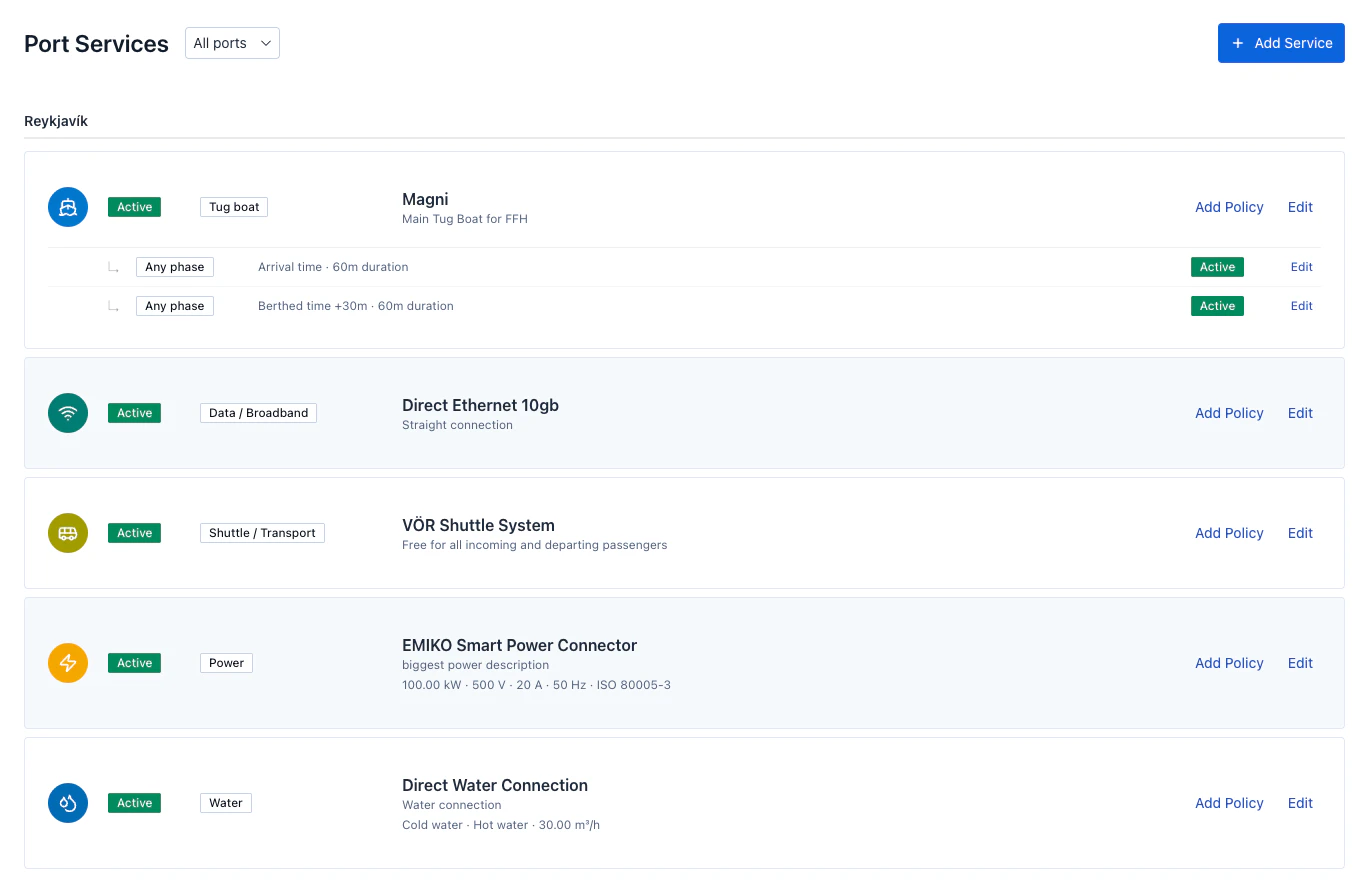
DOKK gives port organisations a complete view of all incoming vessel traffic from accepting port calls to tracking historical data, managing infrastructure, and coordinating with agencies in real time.
Port Call Management
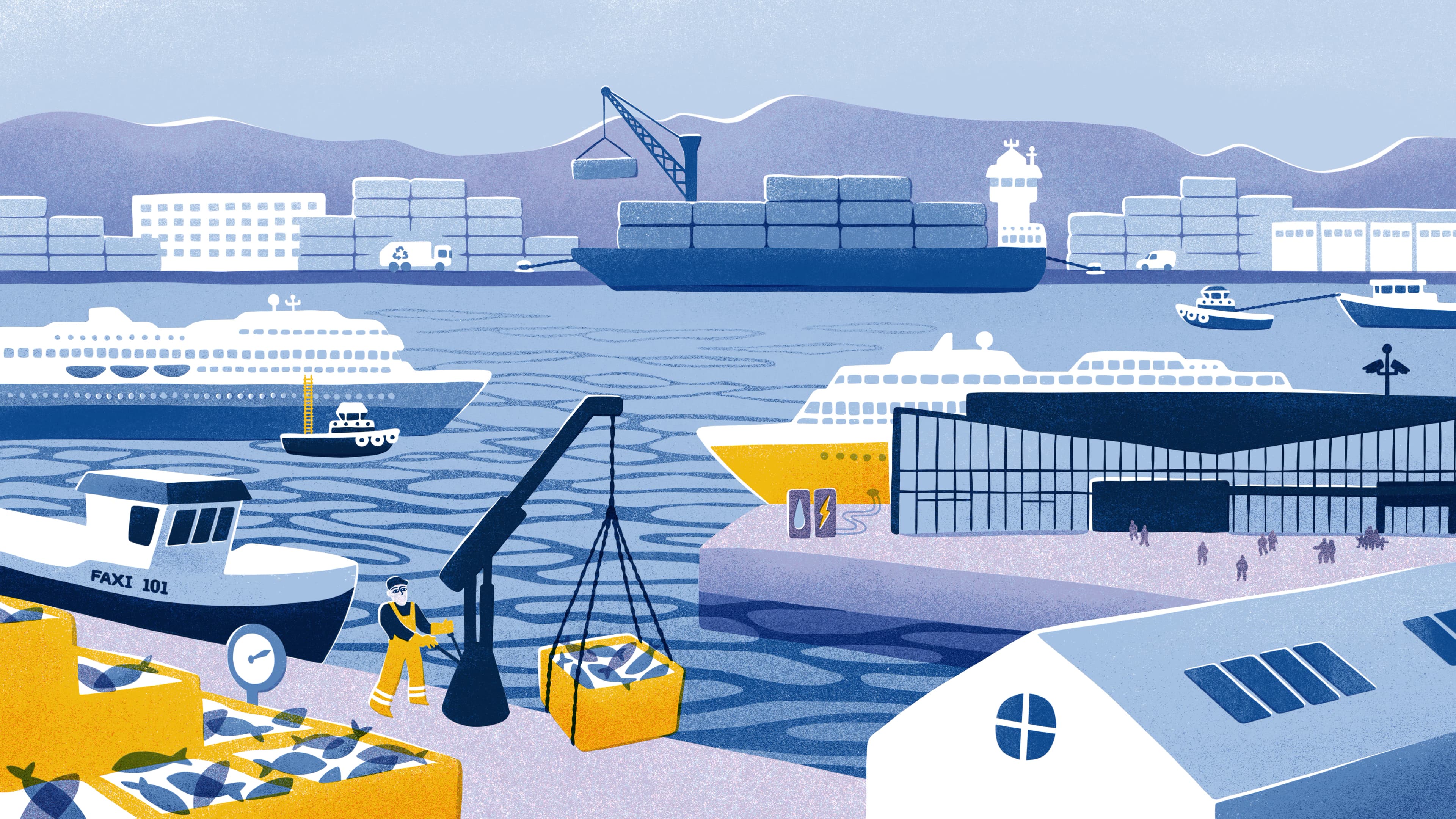
Review and act on every incoming port call from a single list. Accept, reject, or request modifications, with full visibility into vessel details, arrival and departure times, assigned quay, turnaround status, and any outstanding comments from the agency.
Booking Horizon
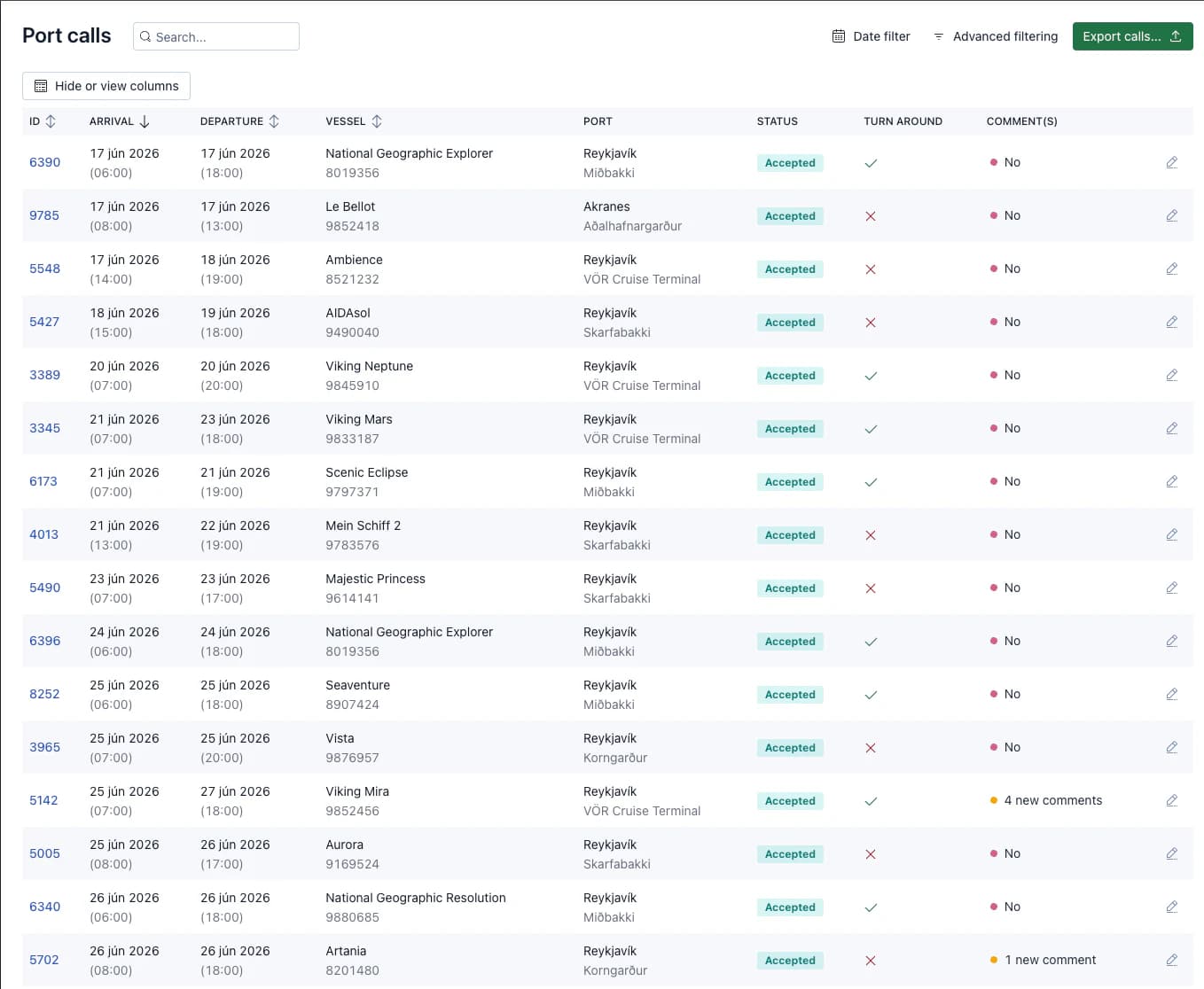
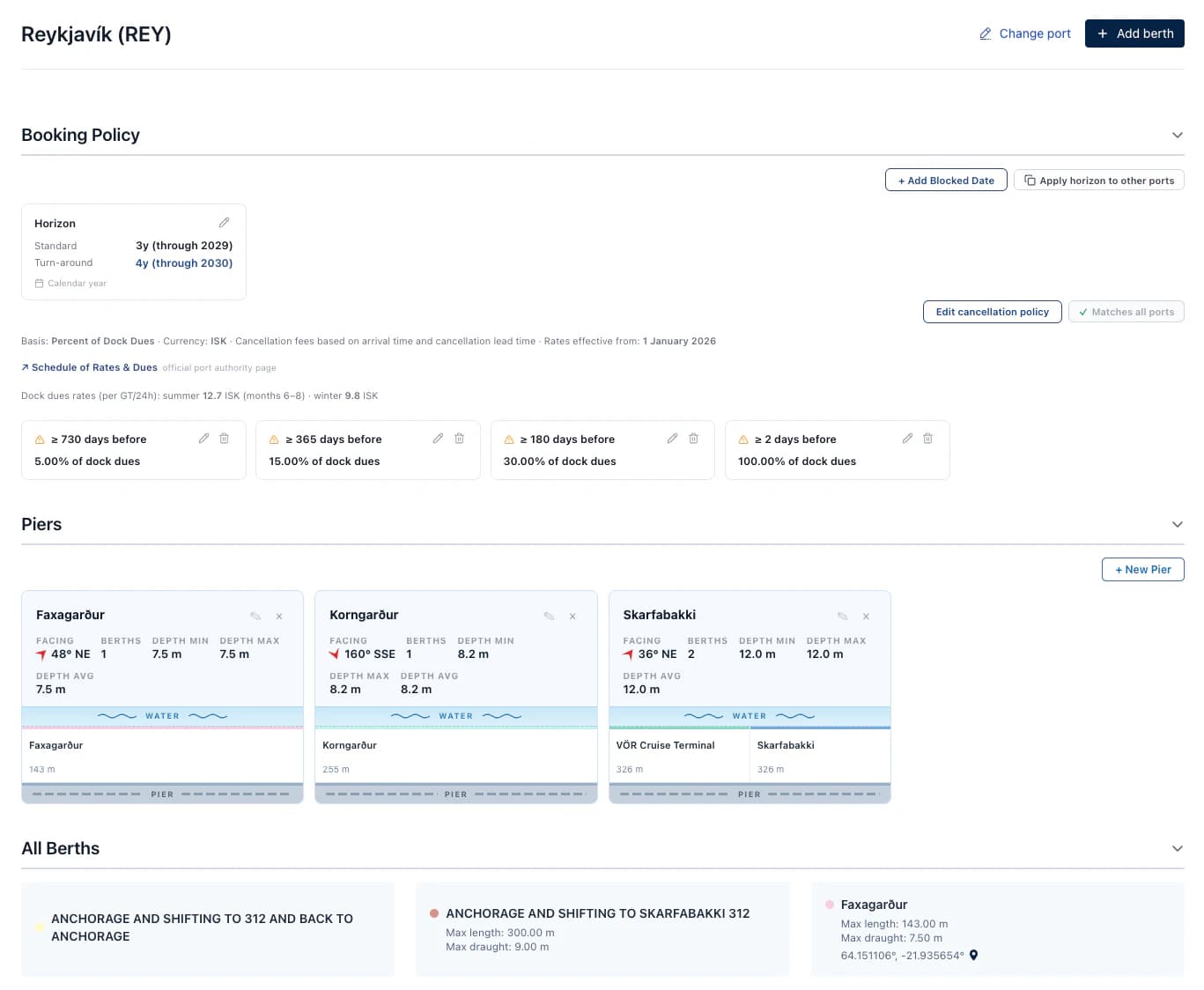
Set how far in advance agencies can book port calls at your ports. The standard horizon controls regular bookings, while a separate turnaround horizon allows T/A calls to be scheduled further ahead. Each port can carry its own note explaining the policy, visible to agencies when placing a call.
Insights & Analytics
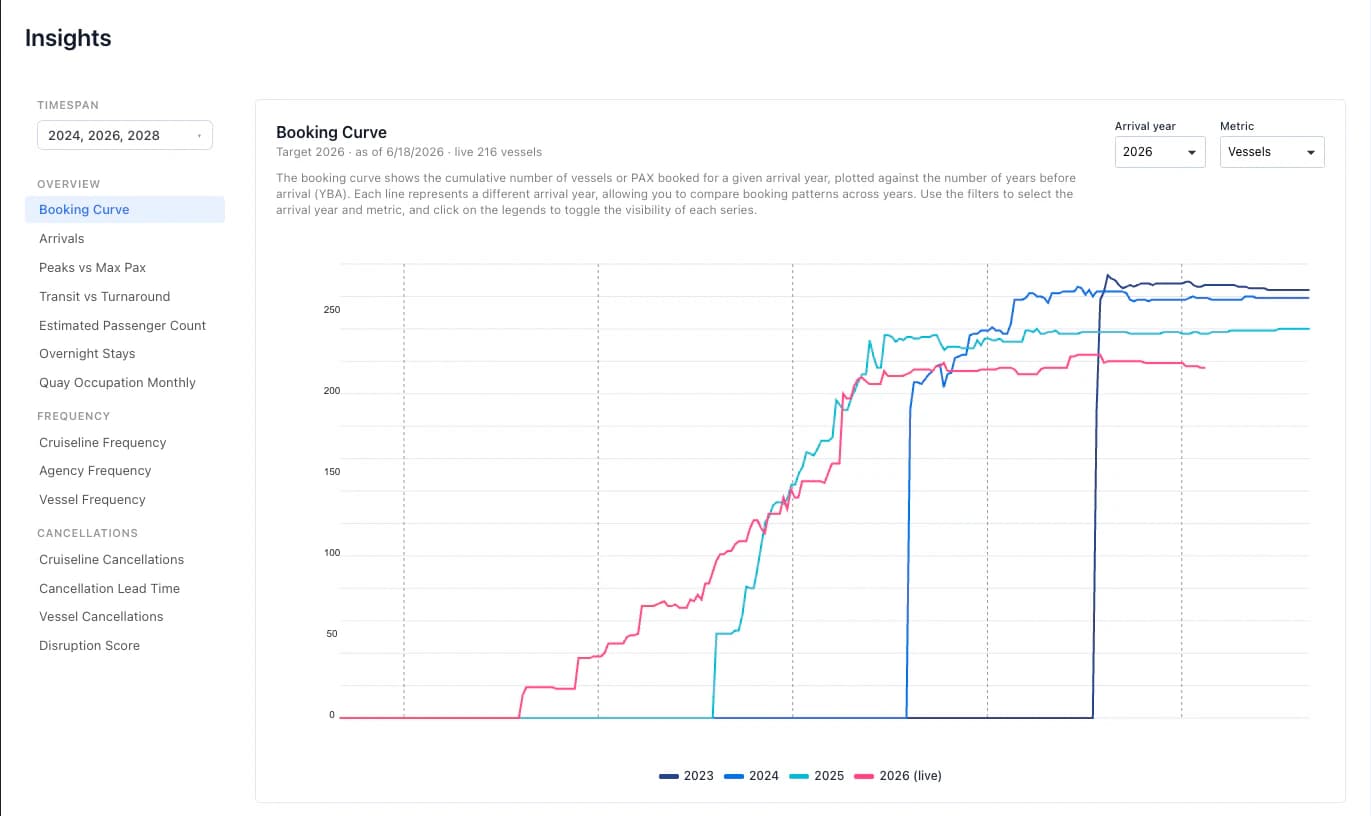
Track port activity over time with built-in insights. Monitor passenger volumes, vessel frequency, turnaround patterns, and call statuses across all ports and quays within your organisation, broken down by period. The Port insights and more critical statistics and graphs related to port operations is available through the Port Insights Subscription.
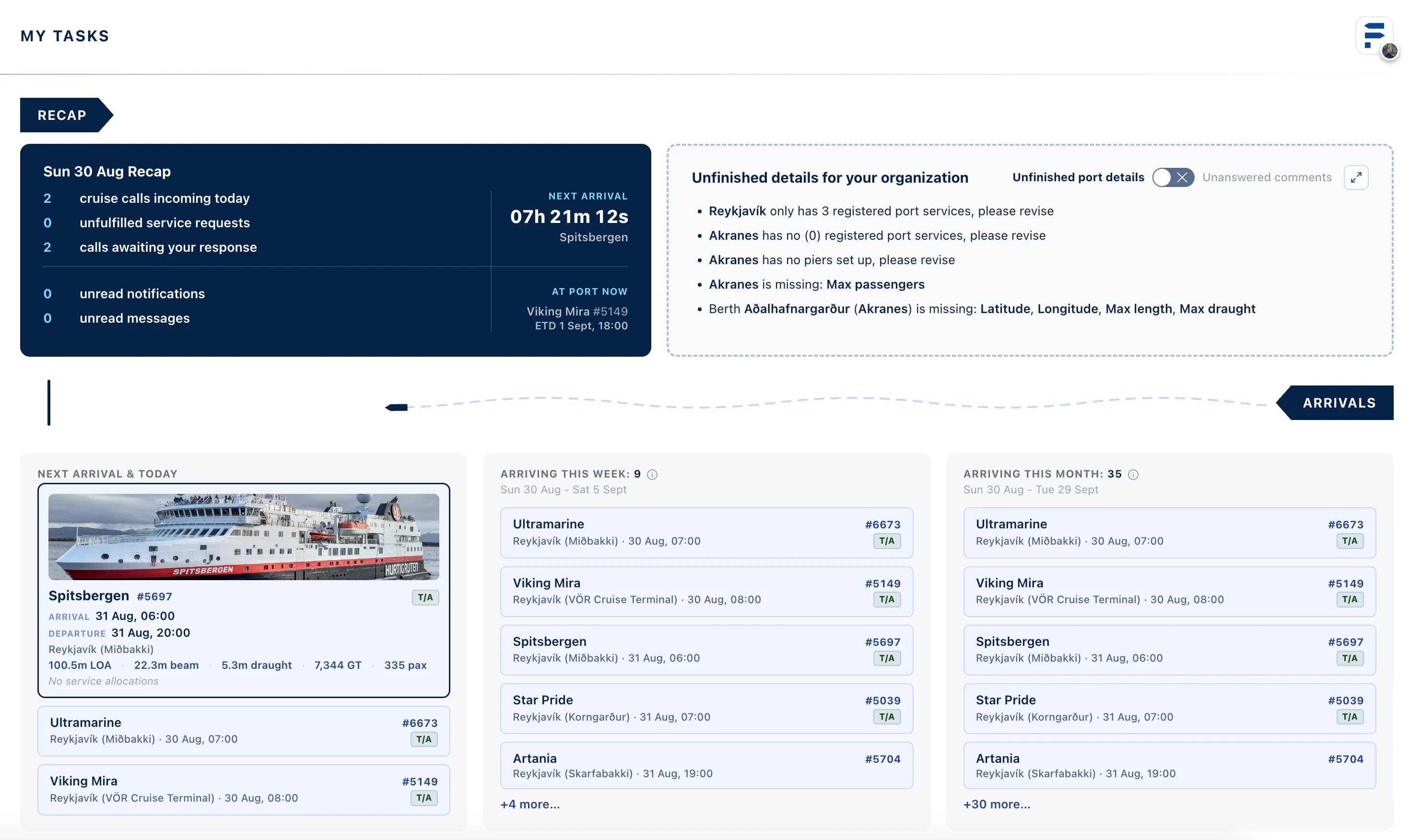
My Tasks & User Dashboard
Get a live operational summary the moment you log in. The dashboard recaps today's cruise calls, outstanding service requests, and calls awaiting your response, with a live countdown to the next scheduled arrival and which vessel is currently at port. Any gaps in your port setup, missing details, unconfigured policies, or thin service listings, are surfaced right there so nothing falls through the cracks.
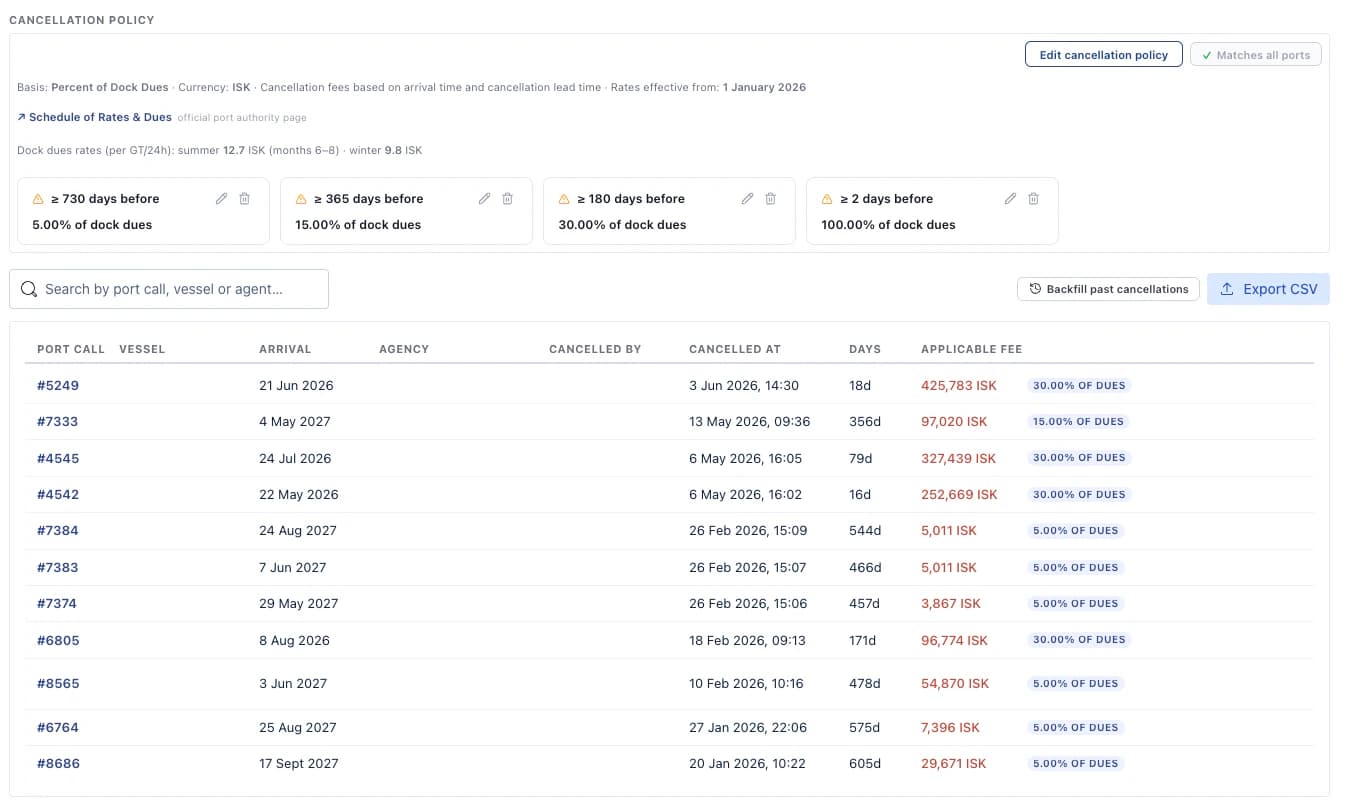
Cancellation Records
Maintain a full history of cancelled port calls. Cancellation records are retained and accessible for audit, reporting, and operational review. giving you a complete picture of planned versus actual traffic. Port organization can also set cancellation policies and define a custom cancellation cost policy based on various factors such as lead time to arrival, size or gross tonnage of ship etc.
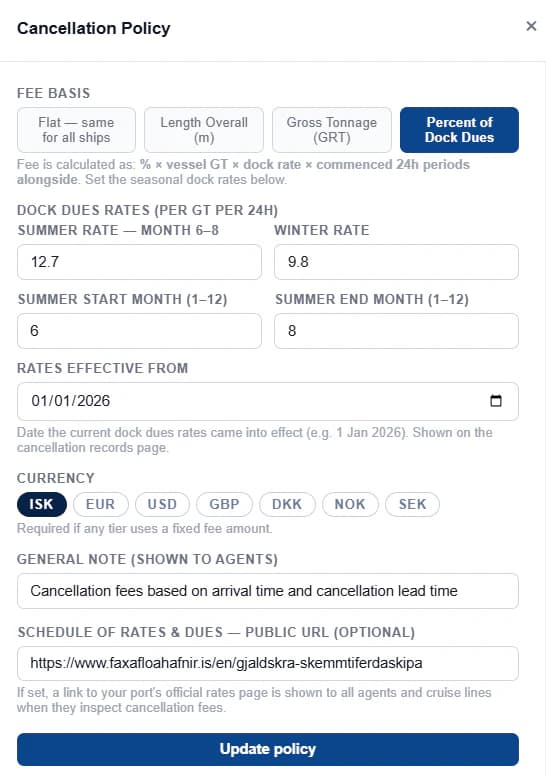
Set Detailed Cancellation Policies
Manage your port's cancellation policies and fees related to them with detailed settings for your port and link it to your official fees and dues page. You can also include tiers directly relating to lead time based on date of cancellation and set arrival time of vessel.
Vessel Registry
Browse all vessels that have called at your ports, complete with IMO numbers, vessel types, and call history. Vessel data is populated automatically from port call submissions made by agencies. Vessel Registry also includes emissions data about ships which is fetched automatically from EMSA. Live Data and Tracking is also available for each vessel in the registry.
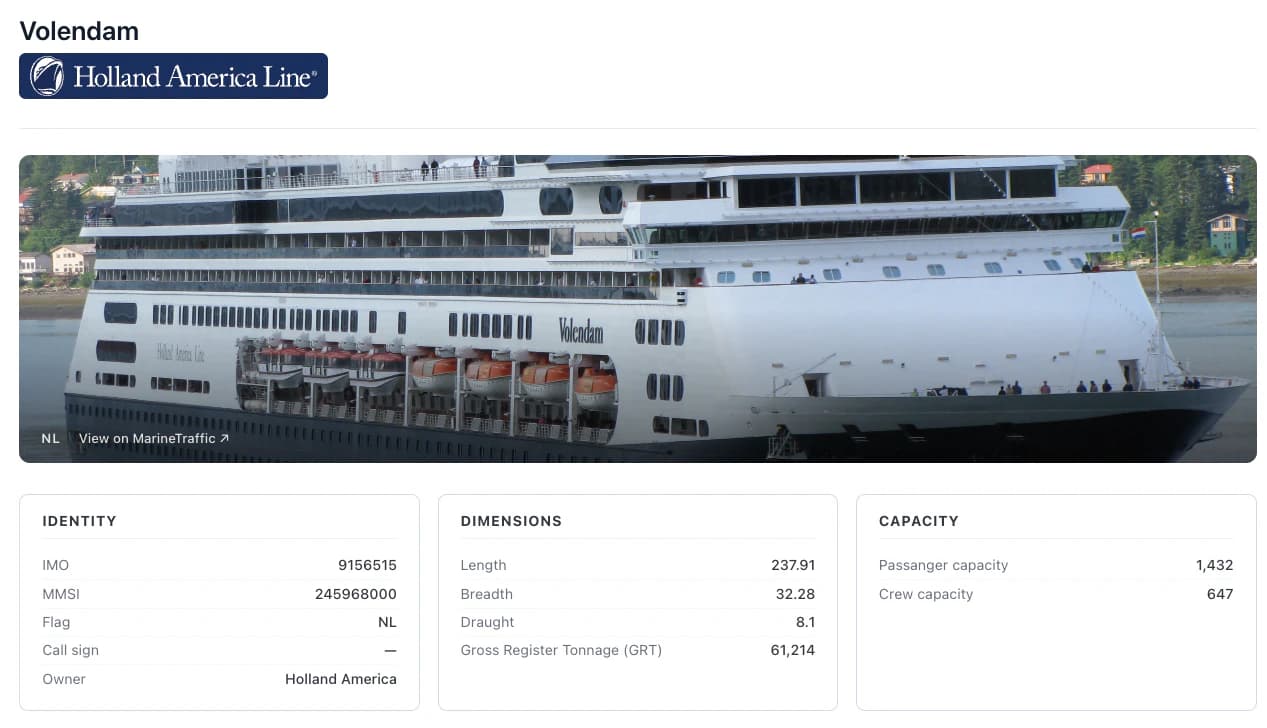
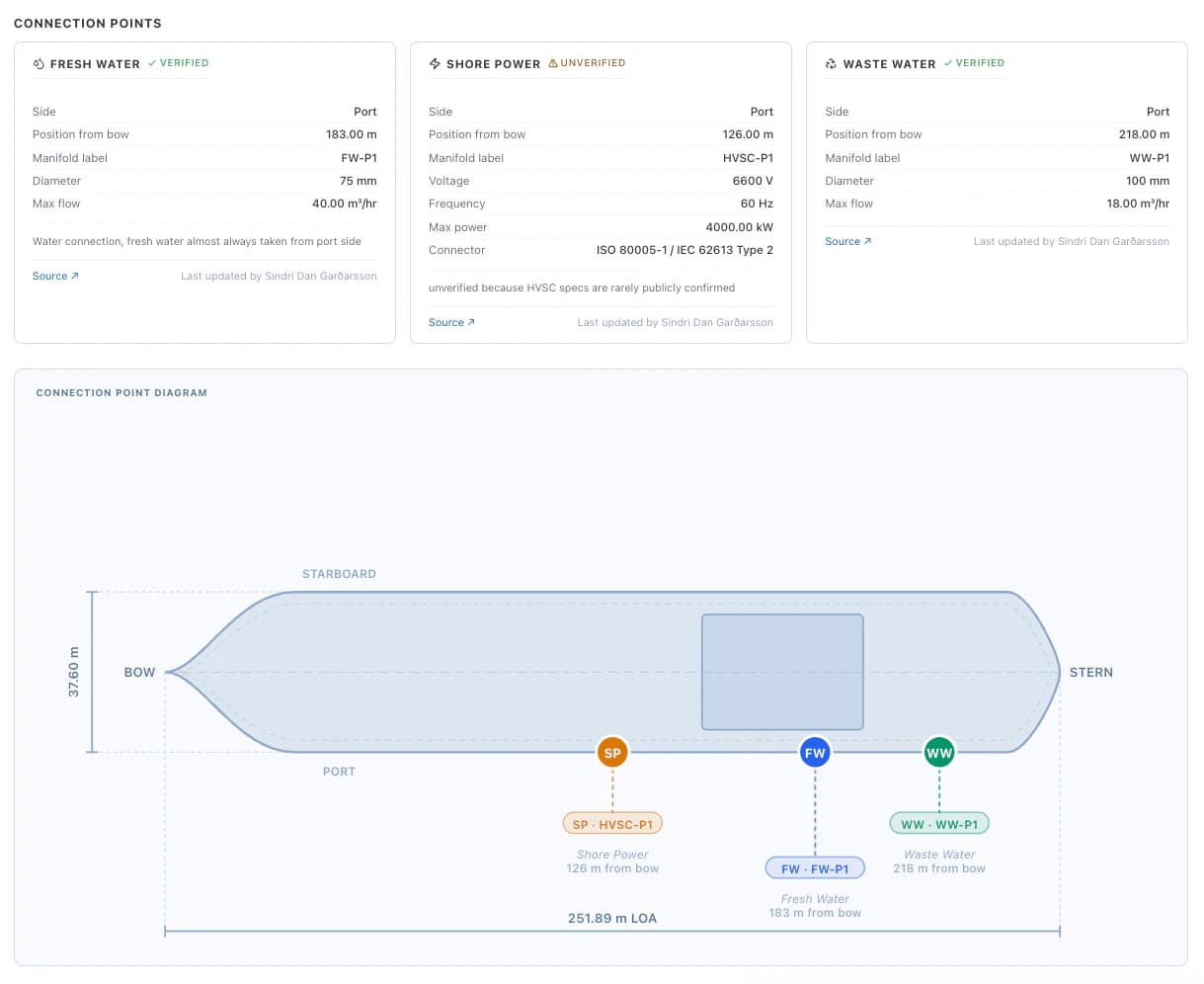
Vessel Connection Points & Berth Diagram
Browse detailed connection point data for your fleet, shore power specifications, fresh water and waste water manifold locations, connector standards, voltage ratings, and flow rates, all recorded per vessel.
Once connection points are set alongside the vessel's dimensions, DOKK automatically generates a to-scale top-down diagram of the vessel with each connection point plotted by position from the bow. Port teams can review this directly when allocating berths, reducing back-and-forth on arrival day.
Ports & Quay Management
Register and maintain all ports and quays under your organisation. Each location holds infrastructure details including LOCODE, time zone, maximum passenger capacity, and quay-level specifications, keeping berth assignment data accurate for all parties.
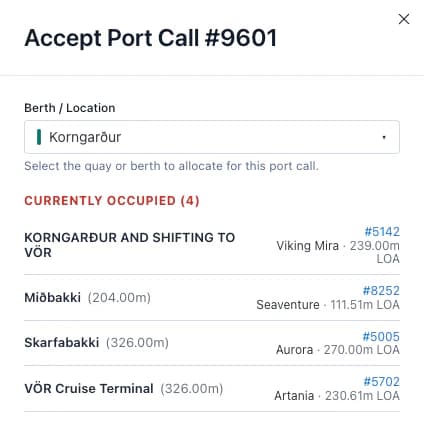
Be alert when accepting calls!
Ports can also view any other calls when accepting and allocating a berth for a cruise vessel, avoiding any double-bookings or conflicts.
Port Services
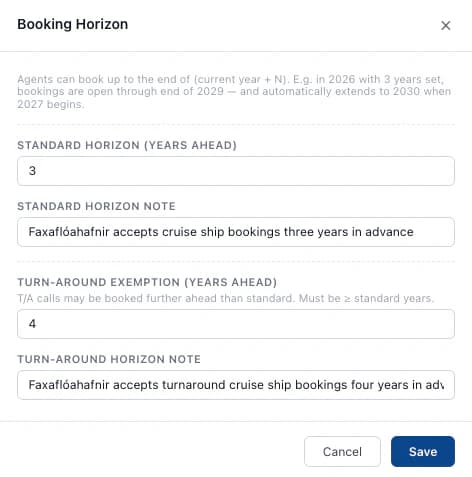
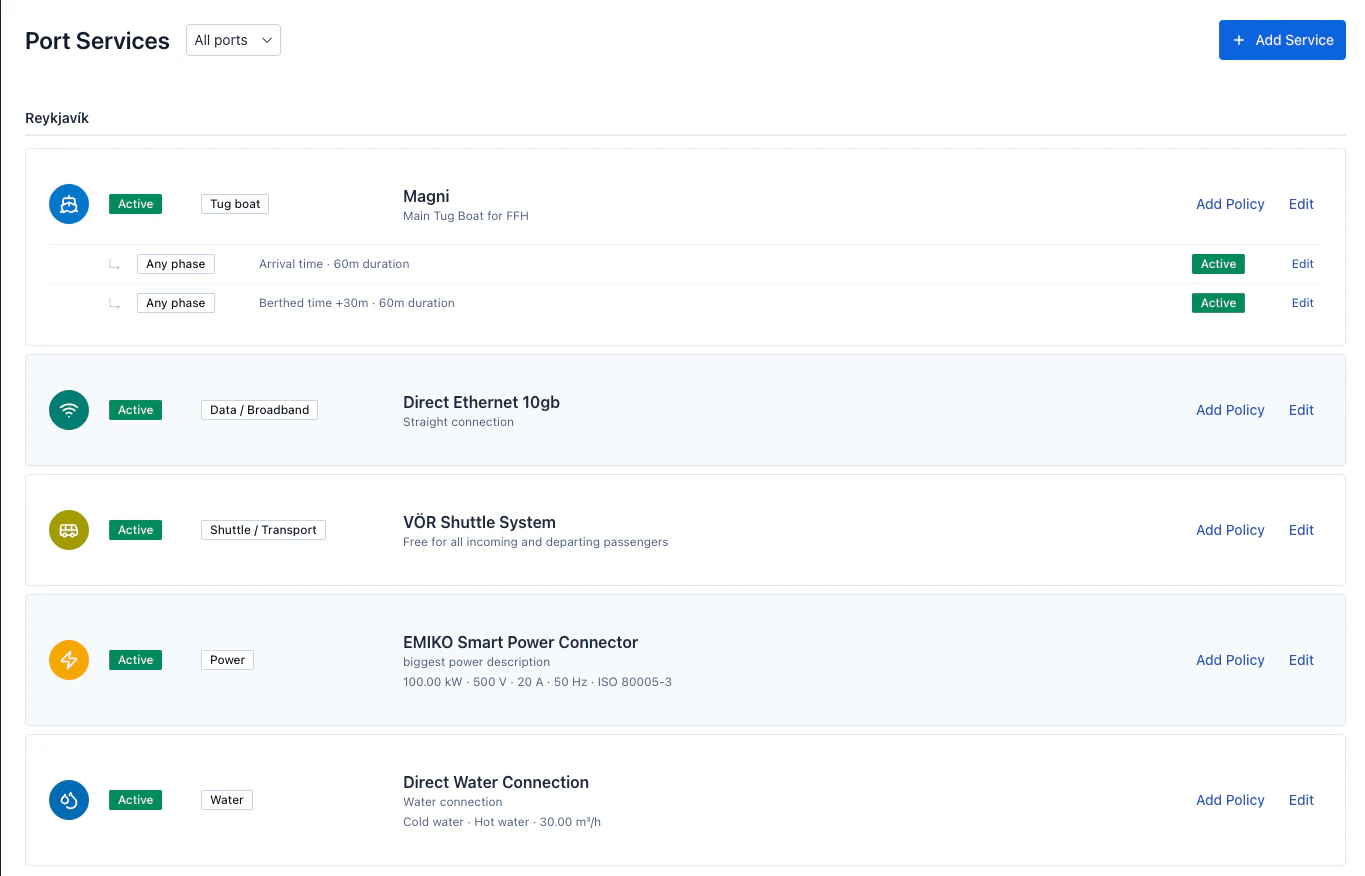
List the services available at each of your ports, from water and electricity supply to waste handling and passenger facilities. Service availability is visible to agencies and cruise lines when viewing your port, helping them plan calls accurately. Set policies for your services based on lead time and estimated service period. We will also introduce a smart planner based on your services so that allocated services for calls are handled correctly and delivered without interruptions or mismanagement.
Port Call Communications
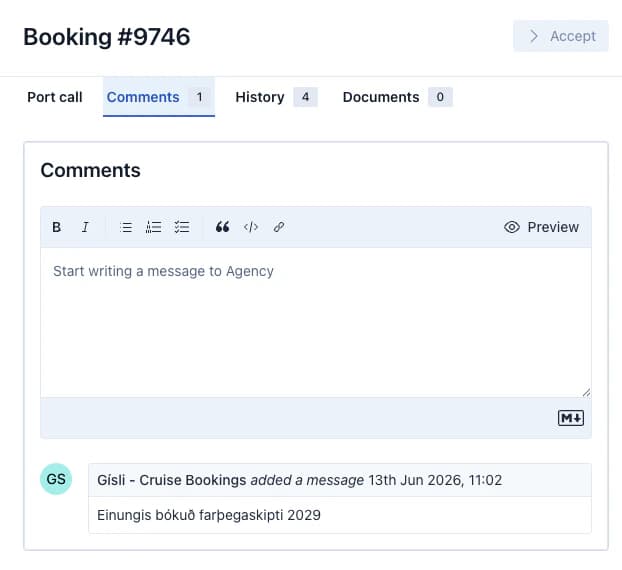
Communicate directly with the agency handling each port call through the platform's built-in messaging system. All messages are scoped to the relevant port call and organisation, keeping every conversation in context and on record.
Instant Messaging
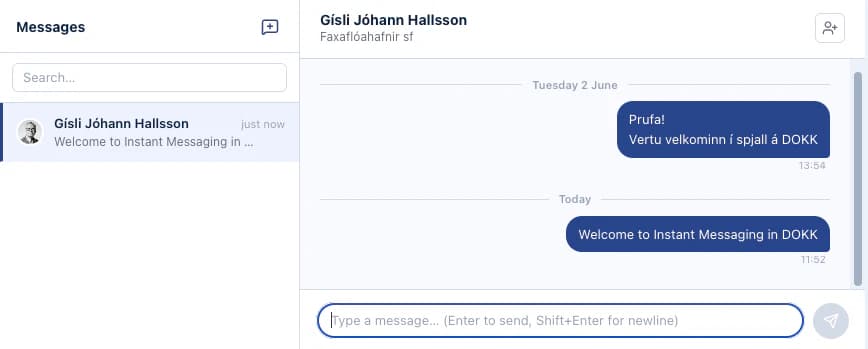
Port Organizations can communicate directly with other ports and agencies within their country of operations. You can create group chats and communicate internally as well.
Estimated Cost
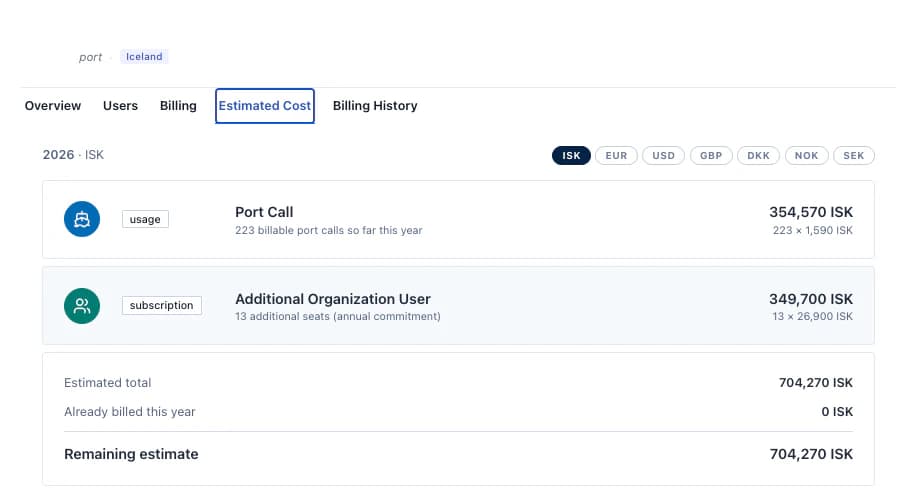
Monitor your organisation's running costs at any time from the Estimated Cost tab in your organisation settings. See a live breakdown of all billable items for the current year, port call fees, additional user accounts, and any applicable subscriptions, with a running total, what's already been invoiced, and the remaining estimate. Costs can be viewed in ISK or converted to EUR, USD, GBP, DKK, NOK, or SEK for reference.
Gallery of features for ports