Vessel Intelligence & Operational Improvements
We're shipping a focused update today with a mix of quality-of-life improvements for daily operations and a significant step forward in how vessel data is captured and shared across the platform.
Timezone Control in the Calendar
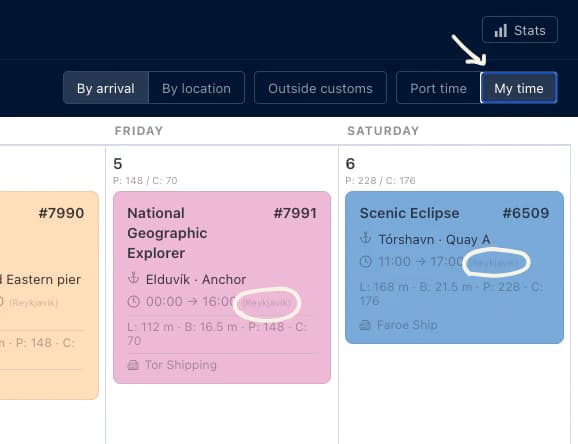
Ports and agents often operate across different timezones, and reading arrival and departure times in the wrong zone causes unnecessary confusion. You can now toggle between the port's local timezone and your own machine's timezone directly in the Calendar header, a simple switch between Port time and My time that persists as you browse.
Date Navigation on Berth Availability
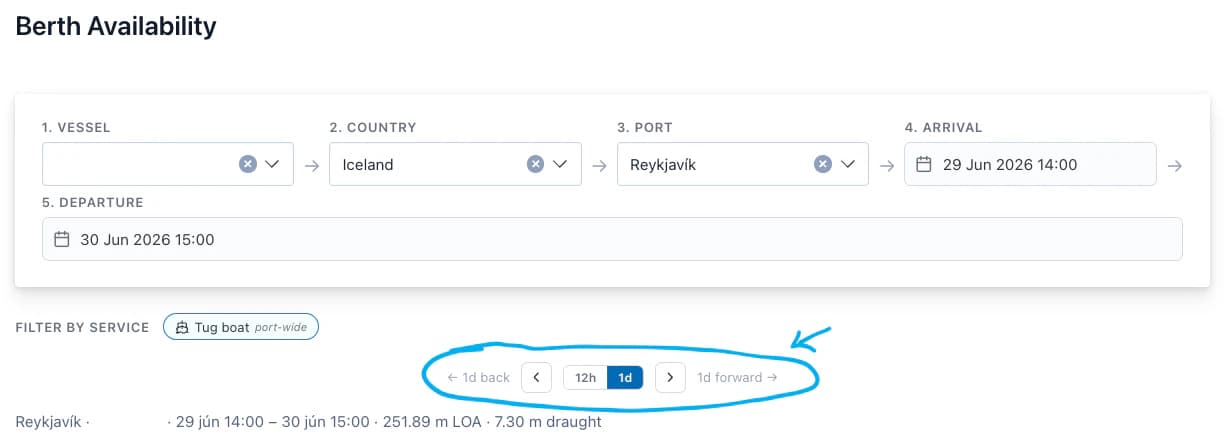
Agents and cruise line users can now step through time directly on the Berth Availability page using chevron arrows, shifting the arrival and departure window backwards or forwards without having to re-enter dates manually. A toggle lets you set the step size to either 12 hours or 1 day, and results update automatically on each step. This makes it significantly faster to explore availability across a window of time.
Organization API Keys
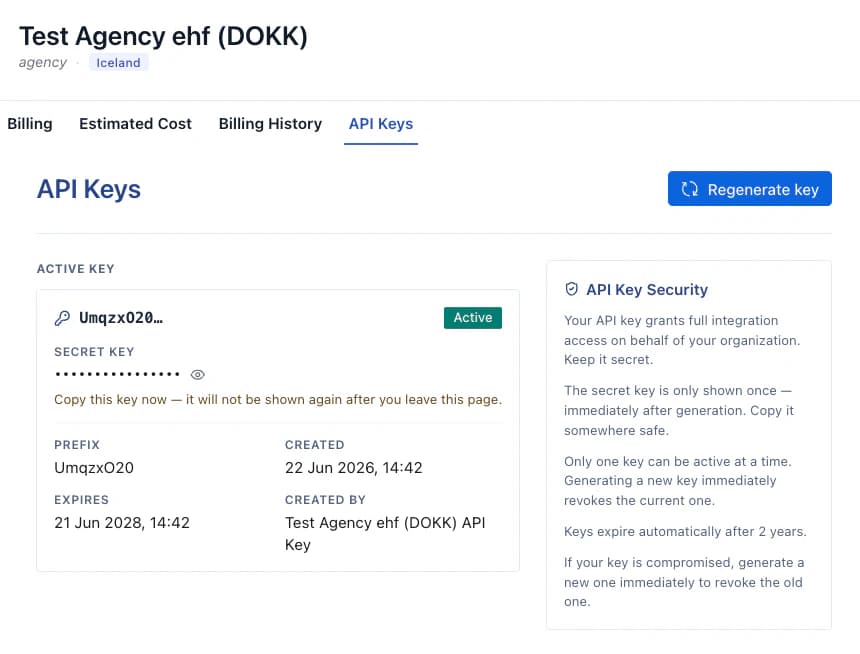
Organization administrators can now generate and manage API keys from a new API Keys tab on the organization settings page. Only one key can be active at a time, generating a new key immediately revokes the previous one. Keys expire after two years and are automatically revoked if the organization is deactivated. The full secret key is shown only once at the point of generation and cannot be retrieved afterwards.
Concurrent Vessel Load: New Insights Graph
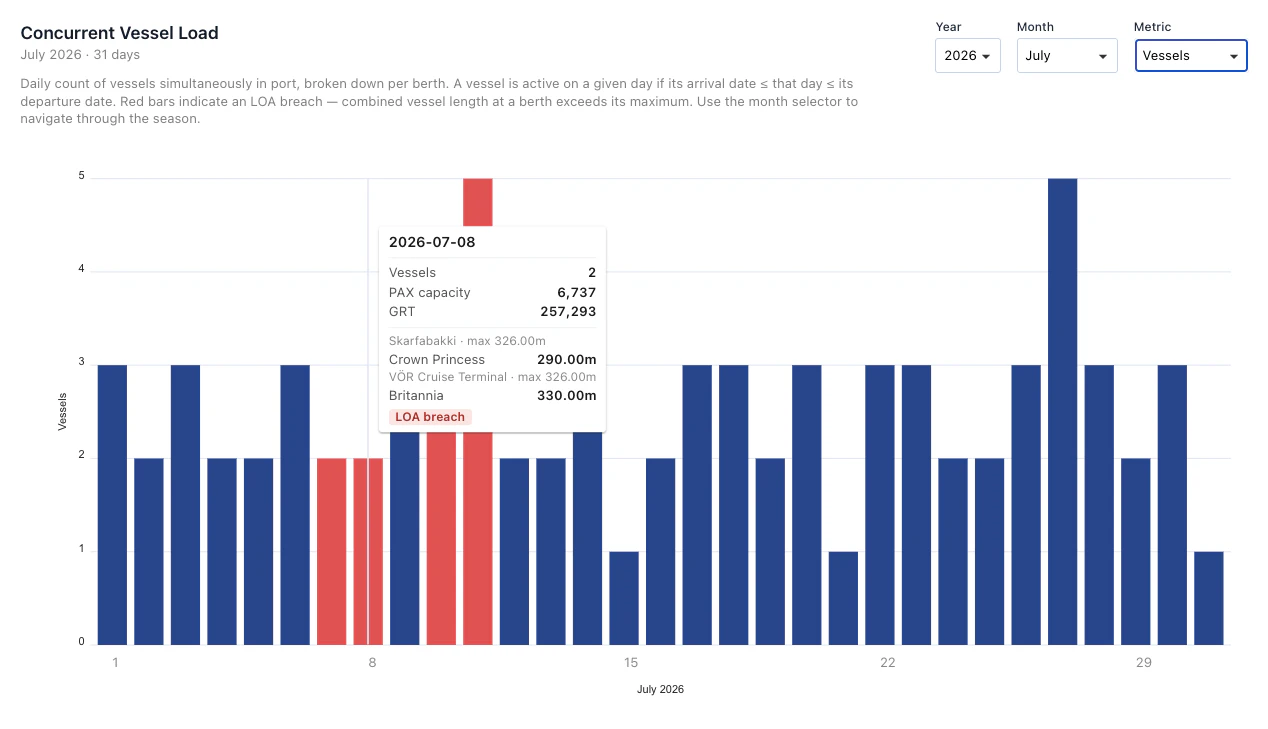
A new graph is now available in the Insights section showing the daily count of vessels simultaneously in port, broken down by berth. This gives port operators a clear picture of peak load days, berth utilisation patterns, and any instances where combined vessel length may exceed a berth's rated capacity, useful context when planning seasonal schedules.
Vessel Connection Points & Documents
Cruise line users can now upload technical documents directly to a vessel's page, specification sheets, connection manuals, or any other reference material relevant to the vessel. Documents are stored securely and are visible to all users with access to the vessel, but can only be uploaded or removed by the operating cruise line or the DOKK team.
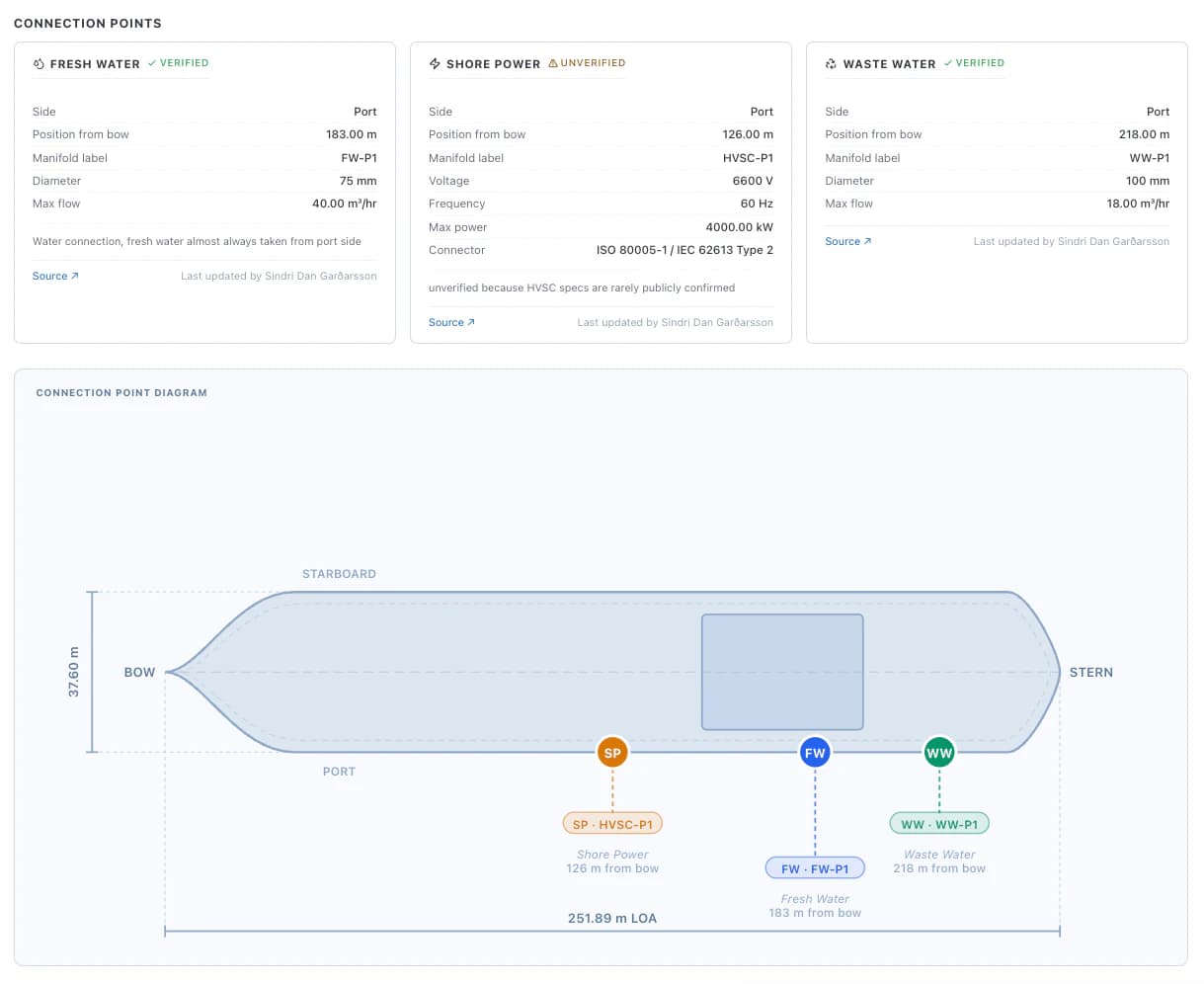
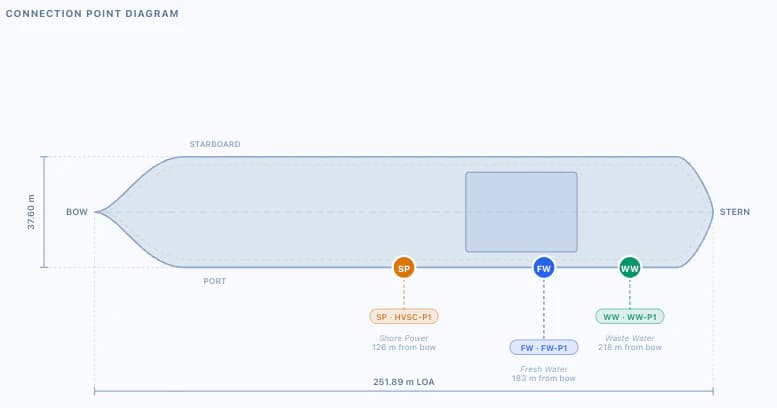
Alongside documents, a new Connection Points model lets you record exactly where on a vessel shore power, fresh water, and waste water connections are located, including distance from the bow, side of the vessel, connector standards, voltage, flow rates, and more. Once connection points are filled in alongside the vessel's length and breadth, an interactive top-down diagram of the vessel is generated automatically, showing each connection point plotted to scale with labels and measurements.
This information is directly useful to port teams allocating berths, knowing in advance where a ship's power and water connections sit relative to quayside infrastructure removes a lot of guesswork on the day.
Connection points and documents can only be added or edited by the cruise line that operates the vessel, or by the DOKK team. If you have technical documentation for your vessels that you'd like added to the platform, send it to us at dokk@dokk.is and we'll take care of the upload.