Major User Interface Update and More
Hi everyone, DOKK is growing from a cruise booking platform between agencies and ports into a fuller port community system: one place where ports, agents, cruise lines and their teams plan, book, staff and follow up on every call.
It comes with a new look, shift management for ports, reworked port calls, environmental data and much more. Here are the highlights.
For interested parties who want to take a look at the new platform and give feedback, we will be hosting an open Teams meeting next week with a link in our broadcast that we sent to your email. After that, we will deploy the new update.

A new look: DOKK Glass
DOKK has been redesigned from the ground up:
- Every page: port calls, the calendar, ports, vessels, Port Insights, your organization and the dashboard.
- Phones and tablets: every page now works on both. On an iPad or a narrow window, long tables turn into cards instead of scrolling sideways.
- One action bar: each page’s main actions sit in a bar at the bottom, with keyboard shortcuts.
- Icelandic: DOKK now follows the language set on your account, starting with port calls, with more pages to follow.
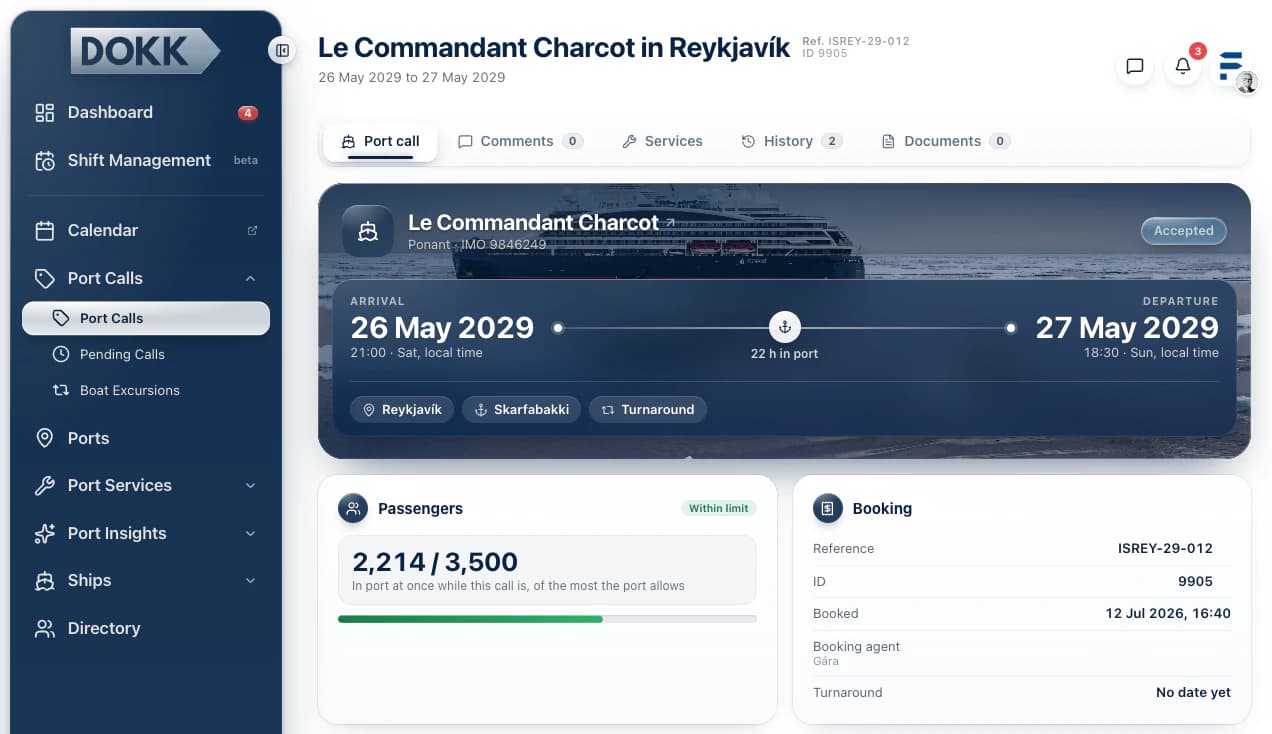
More Mobile Friendly Experience
We put a lot of emphasis on revamping our UI for smart phones. You'll be able to have a seamless experience all throughout the platform with dynamic action bars at the bottom offering you greater navigation around DOKK. There might still be some components, containers or pages that will require some details to be finished but overall the pages should render properly on any mobile device and tablet.
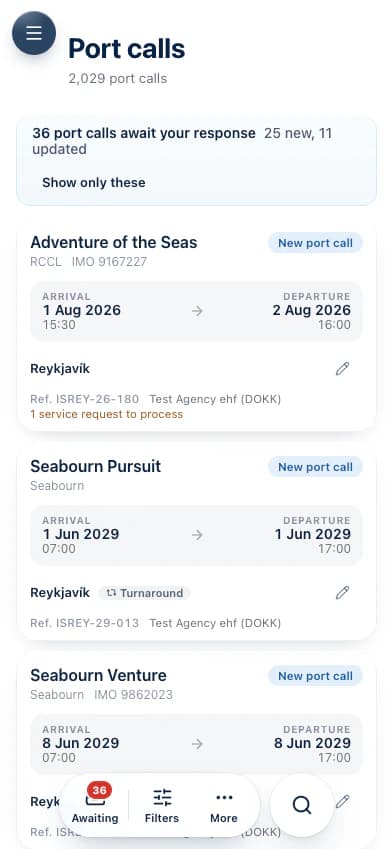
Shift Scheduling and Management
Ports can now plan and run their teams in DOKK:
- A weekly schedule: the port calls show alongside the shifts, so you plan staff around the ships.
- Shift tasks linked to port calls: each task is tied to its call.
- Shift swaps: a worker proposes, a colleague accepts, an admin approves, and the tasks move with the shift.
- Clock in and out in DOKK: a shift left open is clocked out automatically after 16 hours, with a note.
- Shift insights: hours worked, rest between shifts and missing clock-ins, checked against weekly and monthly hour limits that each organization sets.
- Paid rest days: shown on the schedule.
- Recurring daily checklists: with notes and photos.
- Notifications: workers are told when an admin changes their shift.
- MyTimePlan: ports that use it can sync rosters, shifts and clock data both ways.
- If you need assistance with MyTimePlan connection with DOKK, then contact us and we will assist you.
- Each Port Organization in the platform is given 20x complimentary shift seats that can be allocated towards personnel working at the port. This role has a more limited scope within the platform and is primarily used for monitoring shifts and tasks within them as well as communication with other internal users.
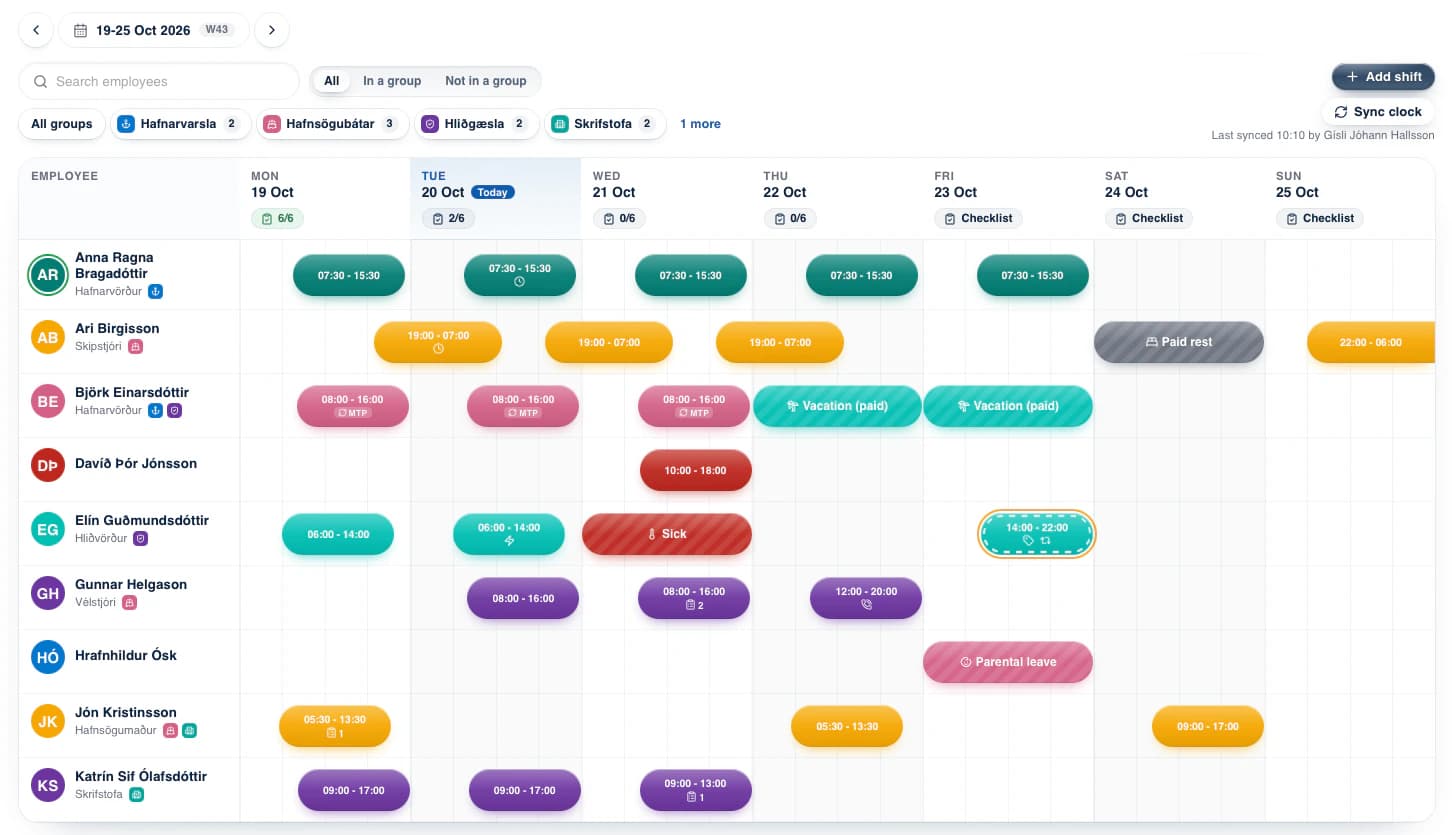
My Tasks: Your Port Dashboard
The dashboard now shows what needs you first:
- For ports: calls waiting for your answer, and closed calls still missing an EPI score.
- A weekly in-app summary of what’s outstanding, never one notification per call.
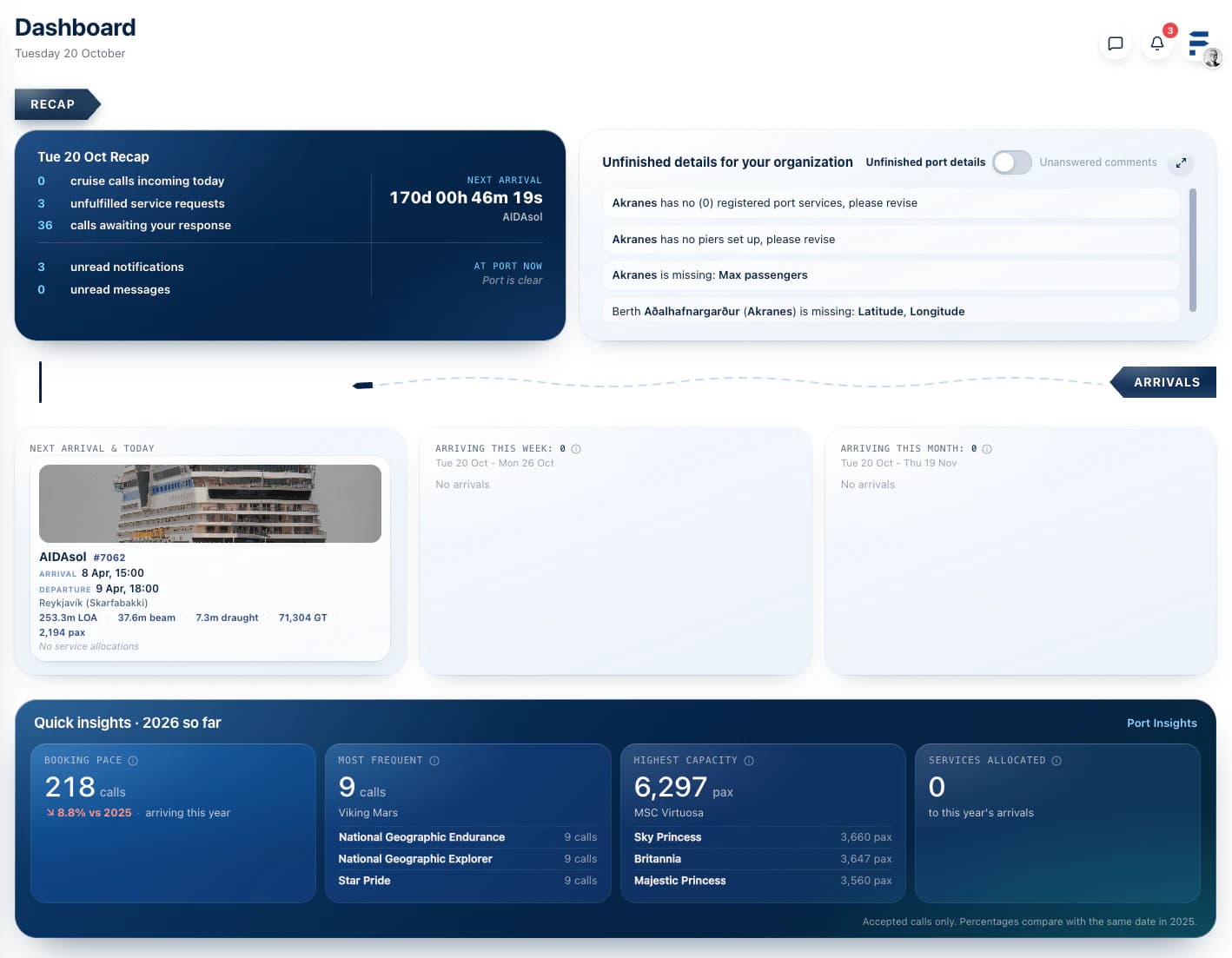
Port calls, reworked
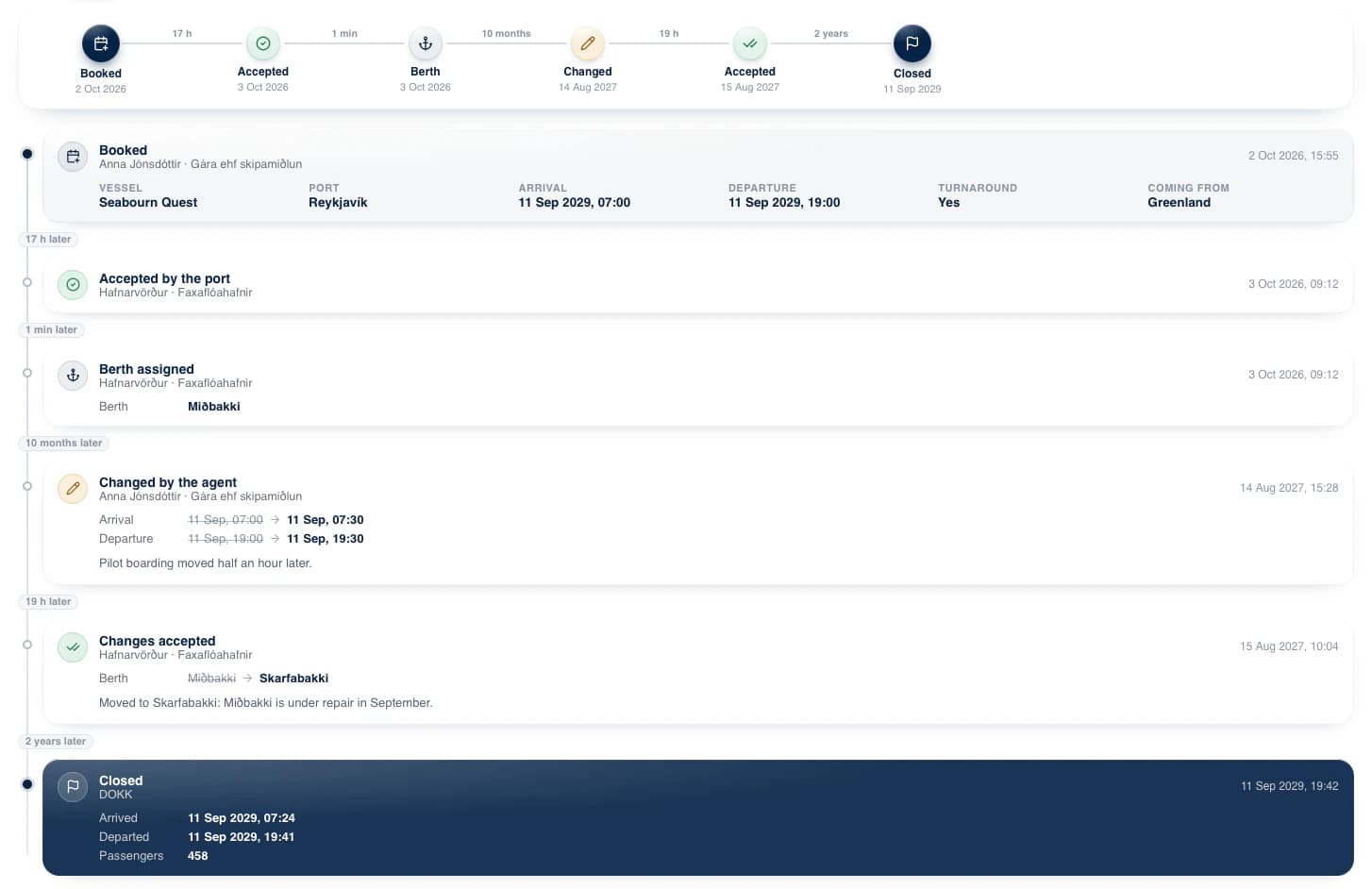
- A clear name: every call has a readable reference like ISREY-27-203, made from the country, the port, the year and a number.
- Its whole history as a timeline: booked, accepted, changed, and by whom.
- Who else is in port at the same time.
- Services: agents request them, and ports allocate them.
- Documents: shared per call, such as SafeSeaNet files, manifests and invoices.
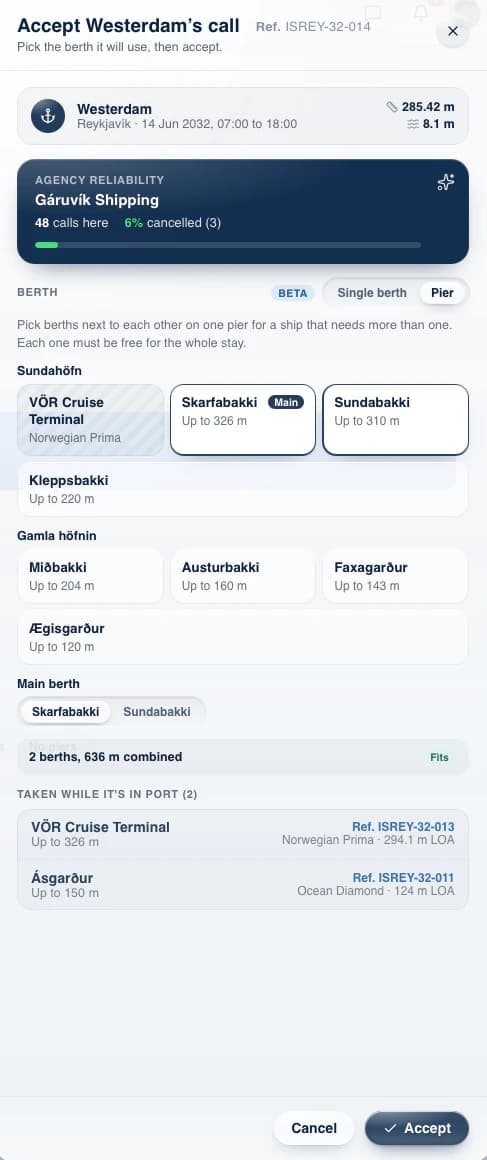
- Accepting a call: ports see which berths fit the vessel, which are taken, and the agency’s booking record.
- Cancellation fees: an agent cancelling inside a port’s cancellation policy sees the fee before confirming, and accepts it explicitly.
- We're also forcing agencies to fill in information about Turnaround calls in regards to date and time of actual turnaround for passengers and placing emphasis on such details within each call id.
Vessel information you can trust
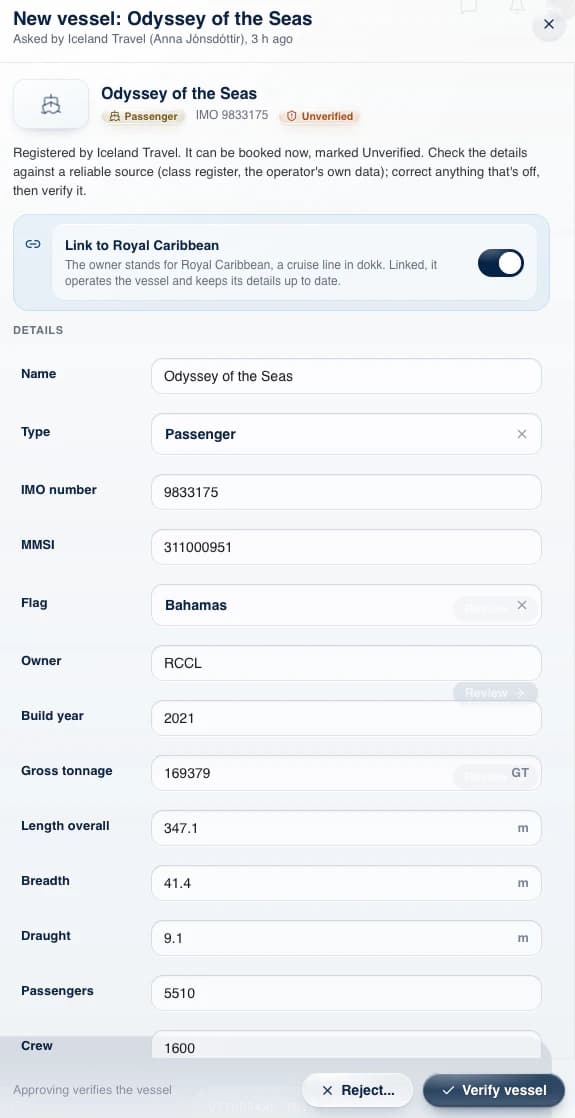
- Anyone can register a vessel: agents, ports and cruise lines can create one and book it at once. It shows as unverified until DOKK or the vessel’s operator approves it.
- Edits are reviewed too: changes to a vessel or its connection points need the same approval, so wrong details don’t spread.
Port Names That Work for Everyone
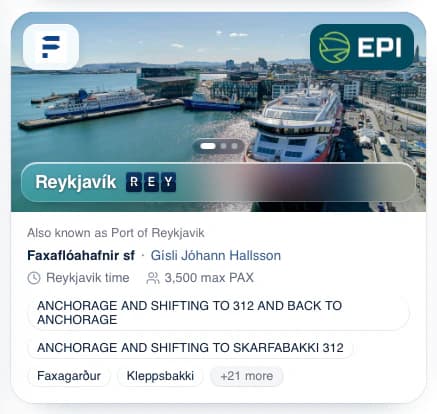
- Aliases: ports can have other names (AKA or nicknames), so itineraries uploaded by agents match the right port automatically. Ports can have multiple nicknames to try and match with automatic itinerary uploads.
- UN/LOCODEs: shown alongside port names.
- We've also introduced images to ports so users can now upload them to better represent their infrastructure in the platform. Try it!
Environmental focus, EPI Score and Emissions Data
- Carbon intensity (CII): every vessel with EU emissions data gets an estimated rating from A to E. It shows on the vessel list, the vessel page and each port call.
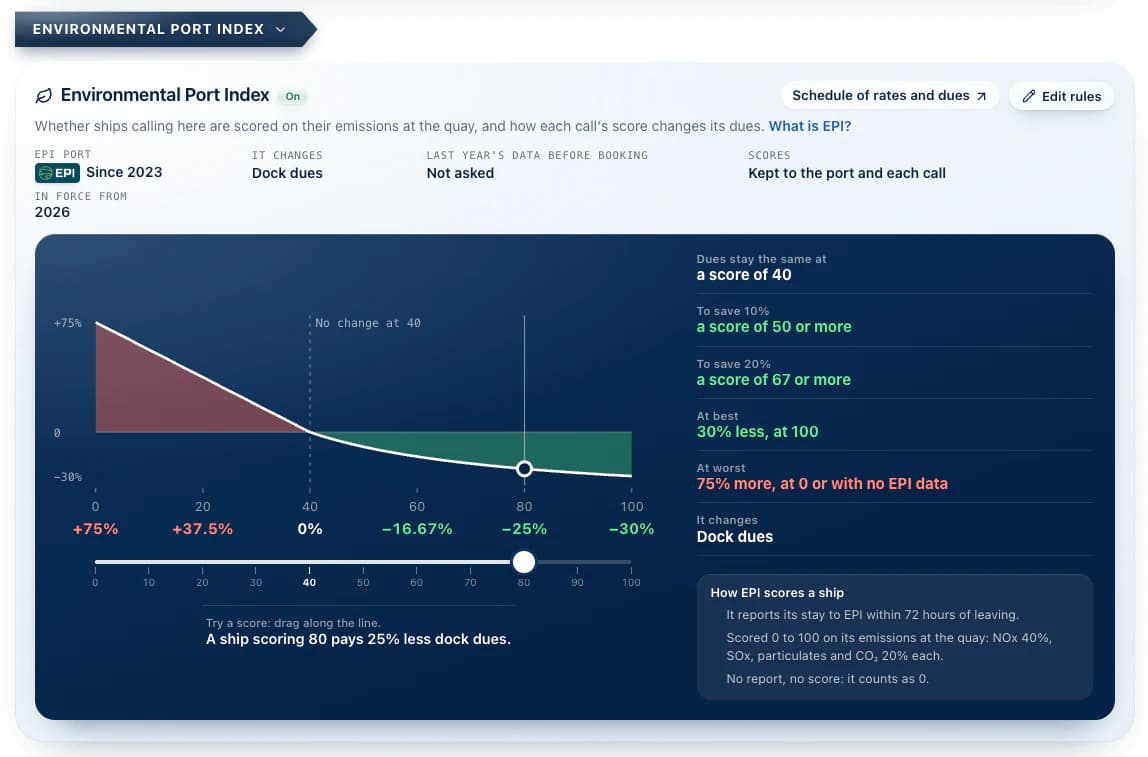
- Environmental Port Index (EPI):
- ports that use EPI register each call’s score
- they set how the score changes their dues
- Environmental insights: a new page for ports, showing EPI scores, discounts and surcharges, and shore power over time. The EPI parts are free for every port. The other emissions data, graphs and statistics are dependent on port's Insights Subscription.
Port Insights
- A 3-month free trial, started from the Insights page.
- A phone layout.
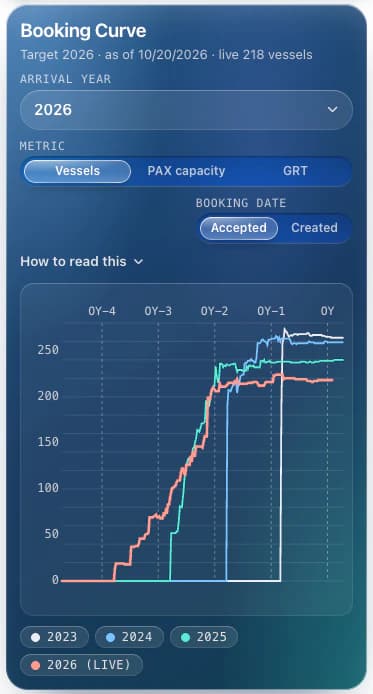
- New charts for pending calls: the calls queued until a port’s booking window opens. Booking windows now roll with the dates instead of following the calendar year.
Smaller things
- Two-factor sign-in: it now remembers your browser for 7 days.
- Shift workers in DOKK are not required to use MFA as default, but that can be changed by the port's admin user.
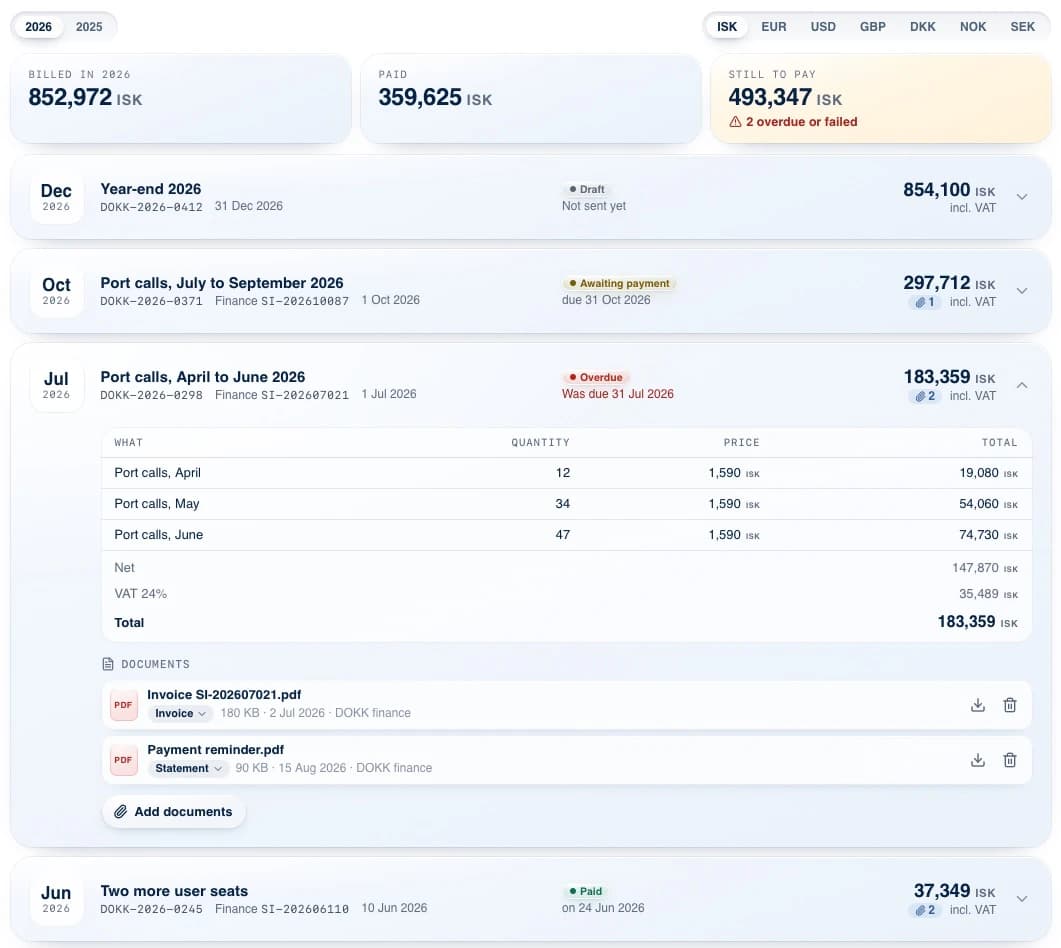
- Billing: billing history and invoices are visible in your organization.
- Organization settings: a preferred display currency per organization, and API keys in their own tab.
In App Messaging
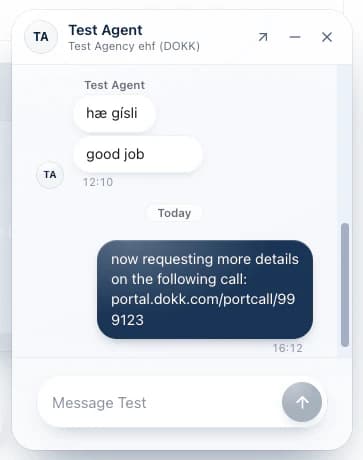
We've also implemented messaging which enables users to communicate within their organization as well as outside of it with some restrictions. It's mainly aimed at cross organization communication, specifically between local ports and agencies but cruise lines can also communicate directly to agencies.
Multi Berth Assignments with Piers
Ports that have set up Piers for their ports and placed single adjacent berths in them can now utilize that to reserve more than 1 berth at a time.
Improved Notification Center and Personalized Settings
We've set up a new notification center where users can select which types of notifications they'd like to receive in-app or via email. This varies between user types (agents, port users, cruise line and etc.) as well as specific organization roles. Please review them as most of these settings are defaulted to a certain option which might not suite your interests within the platform.
These settings can be accessed in the account page for your user in the Notification settings tab.
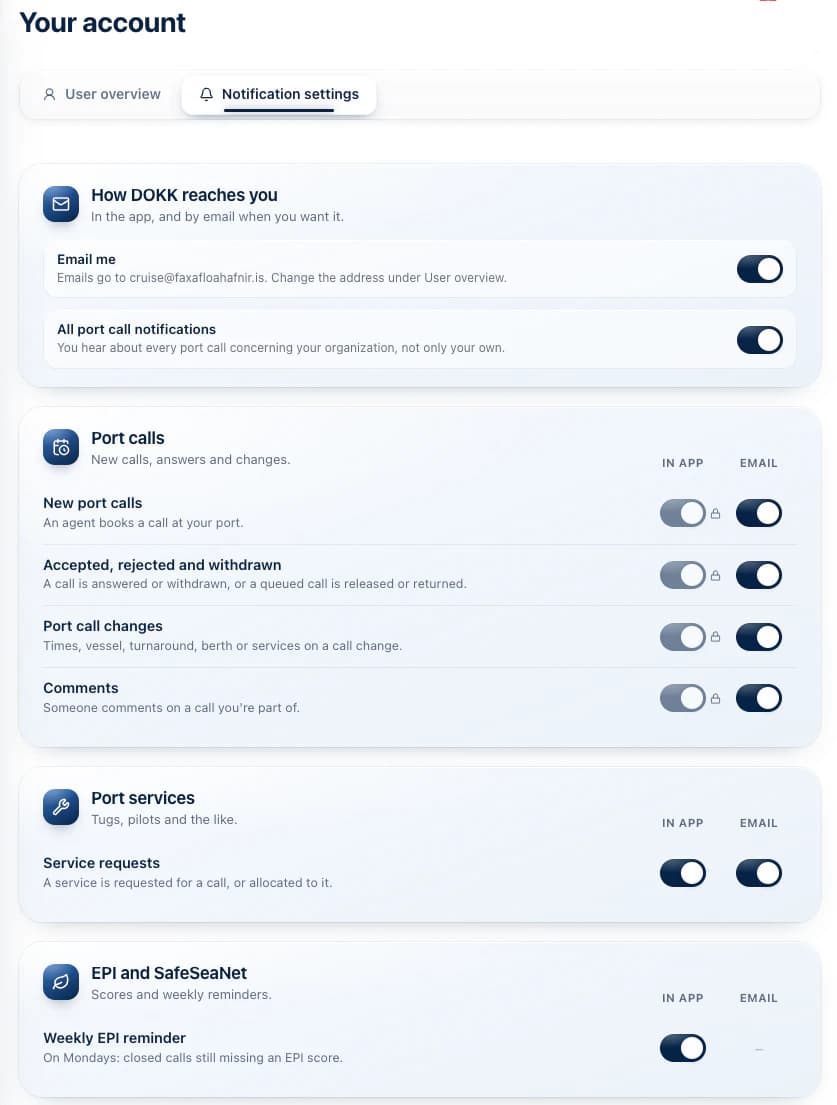
More screenshots related to the 2.0 release
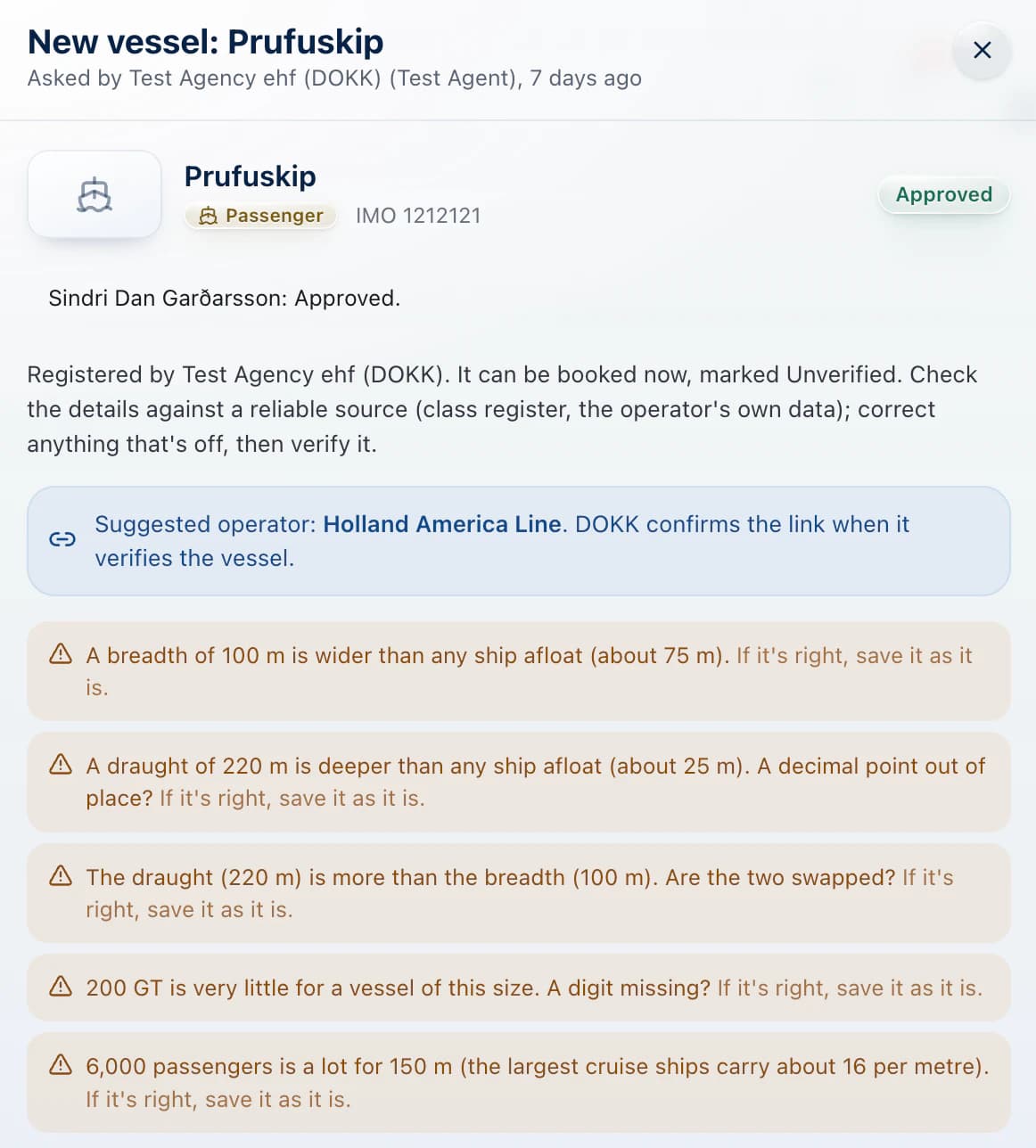
Smart checks on ship registries