Vessel Restriction Policies for Ports: decide which ships can call at your port
Ports can now set limits on the ships that call there: the number of passengers, ship length, draught, emissions rating and how long a ship may stay. A short guided setup walks you through each limit using your own port’s calls and the ships that have visited. For each limit you decide what happens when a ship is over it. You can turn it away, or let the request through with a warning. Agents see your restrictions as they book, one call at a time or in bulk, so a request that doesn’t fit is caught before it reaches you.
Vessel restrictions
Every port has its limits. A berth only takes ships of a certain length, the water is only so deep, and some ports want to limit large passenger numbers or high-emission ships. What you can limit
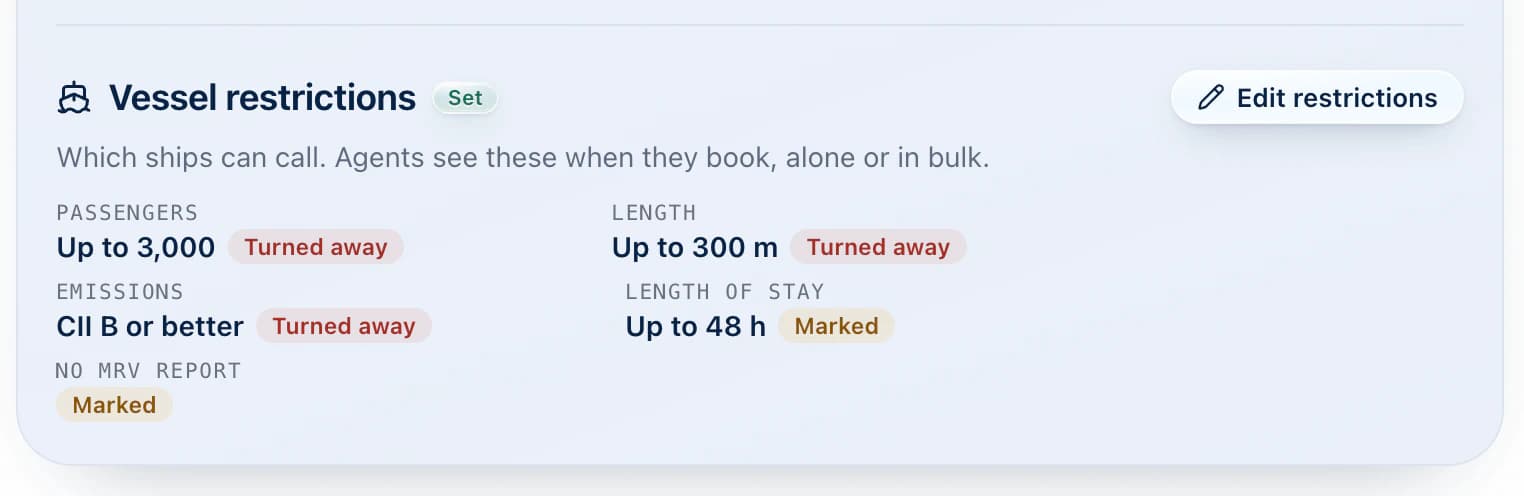
- Passengers: the most passengers a ship may carry.
- Length: the longest ship you accept, in metres.
- Draught: the deepest a ship may sit in the water, in metres.
- Emissions: the lowest CII grade you accept, from A (best) to E. DOKK estimates each ship’s grade from the EU’s public MRV emissions reports. You don’t need to look anything up.
- Length of stay: the longest a ship may stay, in hours, from arrival to departure.
Set as many or as few as you need. A port with no restrictions works just as before.
Turn away or mark: your choice for each limit
Not every limit is a hard line, so you choose what happens for each one:
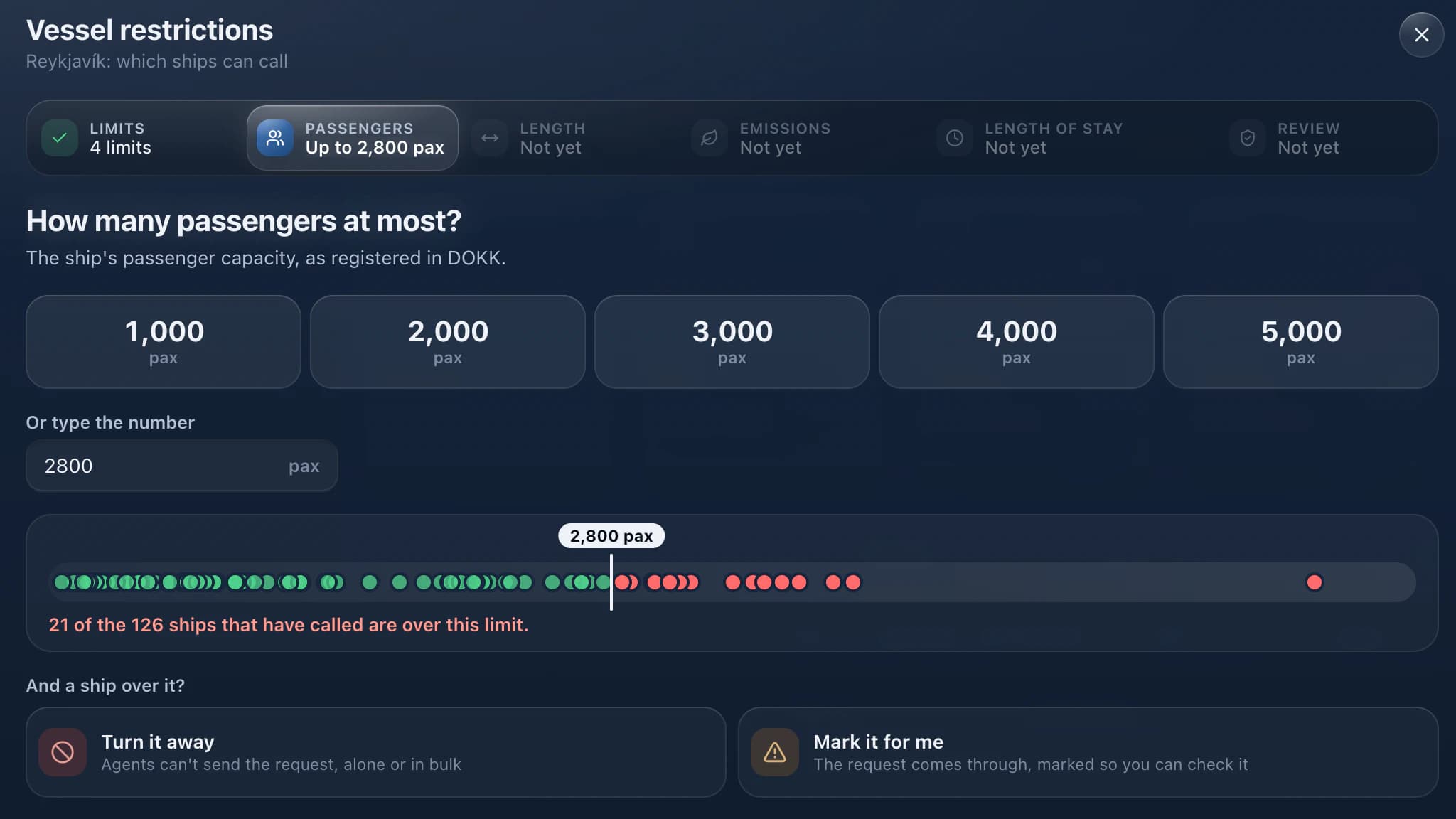
Turn away: the agent can’t send the request. They see which limit the ship is over and why. Mark: the agent sees a warning but can still send the request. Use this for limits you’d like to know about but may still allow.
Some ships have no MRV report, for example smaller ships or ships that don’t sail in EU waters. You choose whether to allow those quietly or mark them. A ship with no report is never turned away for emissions.
A guided setup that uses your own port
Open your port page and find Vessel restrictions under Booking & cancellation. Click Set up restrictions and DOKK takes you through it step by step:
- Pick your limits. Tick the ones you want to set.
- Set each one. Choose a common value or type your own. A scale shows the ships that have called at your port, with your limit drawn across it, so you can see right away which ships fall over the line.
- Choose what happens. Turn away or mark, for each limit.
- Review before saving. You see a summary of your rules and cards for calls you have already accepted that wouldn’t meet them, nearest dates first. DOKK tells you how many would be turned away and how many marked today.
Those cards are only a reminder. Saving restrictions changes nothing on calls you have already accepted. If your port has no calls yet, DOKK shows a few ships from the vessel list that wouldn’t meet your limits instead, so you can still see what your rules mean.
You can also add a note for agents, for example “Ships over 250 m: contact the harbour master first.” Agents see it next to the warning.
What agents see
When an agent books a call at your port, DOKK checks the ship and the times against your restrictions:
- Single booking: as soon as the agent picks the ship and times, they see whether it fits. If a turned-away limit is broken, they can’t send the request.
- Bulk booking: each row is checked separately. Rows that break a hard limit are blocked and show why. Marked rows show a warning but can still be sent.
Agents see the reason in their own language, English or Icelandic, so there’s no guessing.
Who can set restrictions?
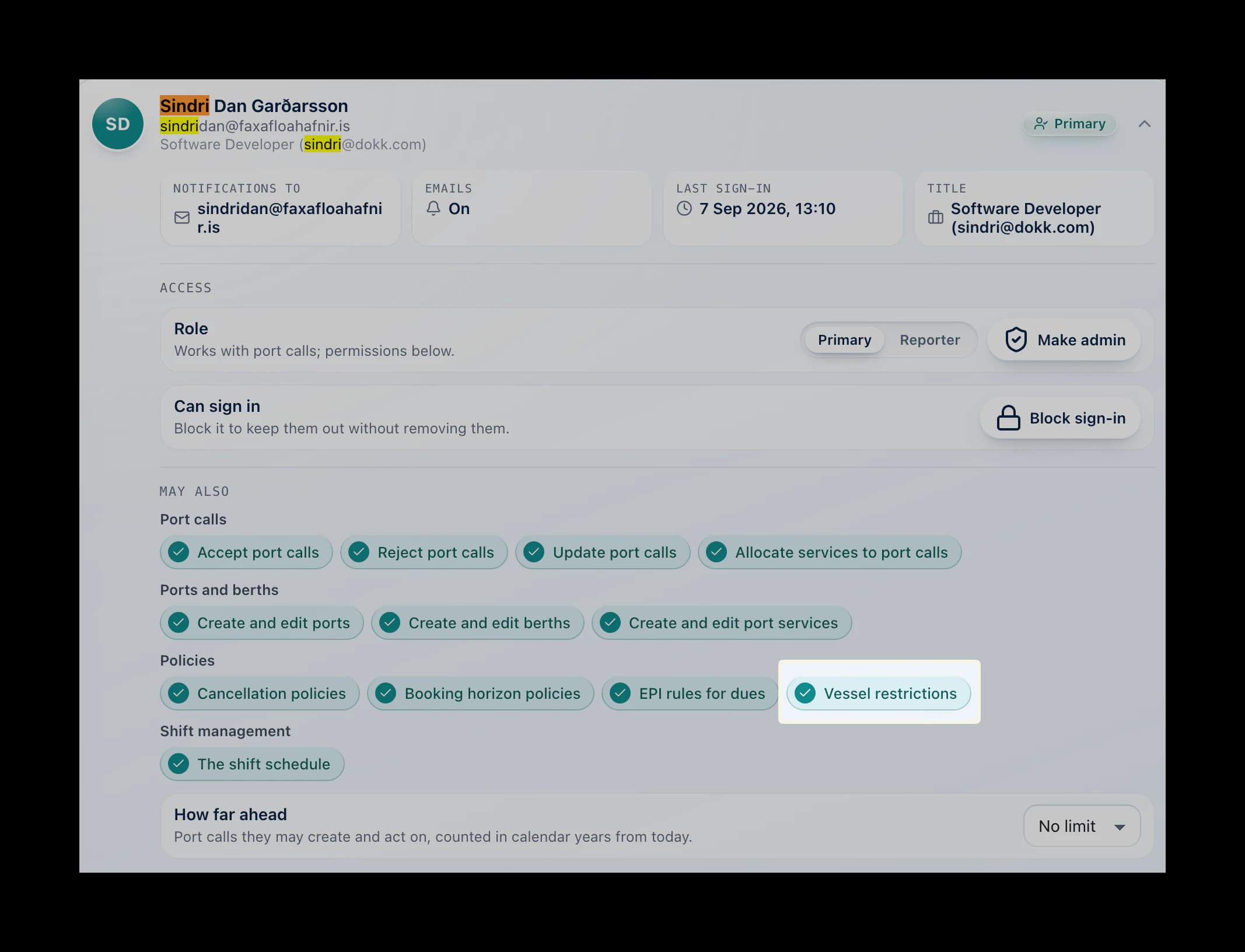
Port admins can always set and change restrictions. Primary users can too, unless an admin turns off the new Vessel restrictions permission for them. It’s on by default. Reporters and shift workers can see the restrictions but can’t change them.
Side alongside: agents request it, ports confirm it
Agents can now say which side of the ship they want alongside the quay, port side or starboard side, when they book a call, in bulk booking, or later by editing the call. It’s optional: leave it unspecified and the port decides. The request shows on the call straight away, so the port knows what the ship is planning before it arrives.
Ports confirm berth side
When a port accepts or edits a call, it confirms the side or chooses the other one, starting from what the agent asked for. The port’s decision is the one that counts, and the call shows whether the side is still a request or has been confirmed. Every change is kept in the call’s history, so everyone can plan ahead from the same information. If the two sides see it differently, the call’s comments are the place to sort it out.